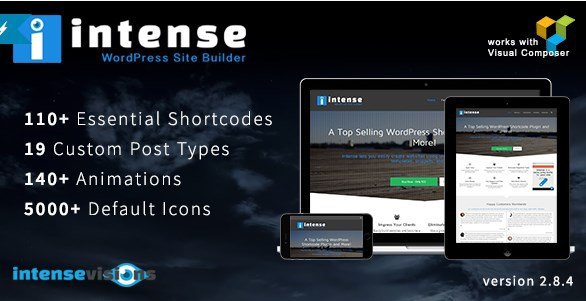
What is Intense – Shortcodes and Site Builder for WordPress?
When WordPress users need to create professional, feature-rich websites without coding knowledge, Intense – Shortcodes and Site Builder for WordPress offers an all-in-one solution with 110+ customizable shortcodes and 19 custom post types. This powerful plugin transforms your WordPress site into a versatile platform capable of handling everything from portfolios and FAQs to pricing tables and parallax sections.
What Makes Intense Different
Intense stands out in the crowded WordPress plugin market by combining an extensive shortcode library with custom post types and Bootstrap-based responsive design. Unlike single-purpose plugins, Intense serves as a complete site-building toolkit that eliminates the need for multiple specialized plugins.
- 110+ professionally designed shortcodes across 5 categories
- 19 custom post types for diverse content management
- Built on Twitter Bootstrap for responsive design
- Visual Composer integration for enhanced functionality
- Parallax content sections with smooth animations
Intense Features for WordPress Users
Comprehensive Shortcode Library
Intense delivers an impressive collection of 110+ shortcodes organized into five main categories: Elements, Layout, Media, Posts, and Typography. The Elements category includes interactive components like animated counters, progress bars, social share buttons, and lightbox galleries. Layout shortcodes help structure your content with pricing tables, testimonials, timelines, and collapsible accordions. Media shortcodes enable embedding videos, creating image comparisons, adding Google Maps, and displaying charts. The Posts category allows dynamic content display from various post types, while Typography shortcodes enhance text presentation with dropcaps, highlights, and tooltips.
Custom Post Types & Content Management
Beyond shortcodes, Intense introduces 19 custom post types that transform WordPress into a versatile content management system. Create and display portfolios with 13 different layout options, manage team member profiles, showcase client testimonials, organize events, publish recipes, display job listings, and much more. Each custom post type includes multiple display options and can be filtered using MixItUp with smooth transition effects. The Templates custom post type allows you to create reusable layouts, while Snippets enable code reuse across multiple pages, significantly reducing development time.
Advanced Design & Animation Features
Built on the robust Twitter Bootstrap framework, Intense ensures your site looks perfect on all devices. The plugin includes 140 different animation effects that can be triggered on scroll, hover, click, or timed delay. Create stunning parallax content sections with multiple transparent layers, add image hover effects using Adipoli and Effeckts CSS libraries, and implement fullscreen video backgrounds. The plugin also supports social media integration with photo sources from Facebook, Flickr, Instagram, SmugMug, deviantART, Zenfolio, and 500px, making it perfect for photography and portfolio websites.
How to Install Intense
Quick Installation
- Purchase and download Intense from CodeCanyon
- Go to Plugins → Add New in WordPress dashboard
- Click Upload Plugin → Choose File → Select the downloaded zip file
- Click Install Now → Activate Plugin
- Configure settings under Intense → Settings in your WordPress menu
Who Should Use Intense?
Web Designers & Developers
Professional web designers and developers will appreciate Intense’s extensive shortcode library and custom post types for rapid prototyping and client projects. The plugin’s Bootstrap foundation ensures responsive design consistency, while the template system allows for efficient workflow management. Developers can leverage the snippet system to maintain consistent code across multiple projects, significantly reducing development time.
Business Owners & Marketers
Business owners and marketing professionals can create professional landing pages, pricing tables, testimonials sections, and promotional content without hiring developers. The plugin’s intuitive shortcode editor dialogs make it easy to create complex layouts, while the social share features and RSS integration help with content marketing efforts. The FAQ and testimonial shortcodes are particularly valuable for building trust and improving customer engagement.
Intense vs Alternatives
| Feature | Intense | Elementor Pro |
|---|---|---|
| Shortcode Count | 110+ included | 90+ widgets |
| Custom Post Types | 19 included | Limited, requires addons |
| Price | One-time $28 | $49/year |
| Bootstrap Integration | Built-in | Not native |
Intense Pricing
Intense is available through CodeCanyon for a one-time payment of $28, which includes 6 months of support and lifetime updates. Additional support extensions can be purchased for $8.25 for 6 months or $13.75 for 12 months. This pricing model makes it significantly more affordable than subscription-based page builders while offering comparable functionality.
Pros and Cons
✅ Pros
- Massive shortcode library with 110+ options
- 19 custom post types included at no extra cost
- One-time purchase with lifetime updates
- Bootstrap-based responsive design
- Excellent customer support with quick response times
- Visual Composer integration for enhanced functionality
❌ Cons
- Learning curve due to extensive features
- No drag-and-drop visual builder interface
- Requires shortcode knowledge for advanced customization
- May conflict with some themes or plugins
Frequently Asked Questions
Is Intense compatible with the WordPress block editor?
Yes, Intense works alongside the WordPress block editor. You can use shortcodes within block editor pages using the Shortcode block, or continue using the classic editor mode where shortcodes are natively supported.
Does Intense work with page builders like Elementor or Beaver Builder?
Intense includes Visual Composer integration and can work alongside other page builders. However, for best results, use it with compatible themes or the classic editor to avoid potential conflicts.
Can I use Intense shortcodes in my theme files?
Yes, Intense shortcodes can be used in PHP template files using WordPress’s do_shortcode() function, allowing developers to integrate features directly into custom theme templates.
Does Intense slow down my website?
Intense is optimized for performance and only loads the assets needed for the shortcodes used on each page. However, using many complex shortcodes on a single page may impact loading times.
Is Intense translation-ready?
Yes, Intense includes translation-ready .pot files and supports RTL languages. The plugin can be easily translated into any language using standard WordPress translation tools.
Can I create custom shortcodes with Intense?
While Intense doesn’t include a shortcode builder, developers can extend the plugin by creating custom shortcodes following WordPress standards. The snippet system also helps reuse custom code.
Final Verdict
Intense – Shortcodes and Site Builder for WordPress is an exceptional value proposition for WordPress users seeking comprehensive functionality without recurring subscription costs. With 110+ shortcodes, 19 custom post types, and Bootstrap-based responsive design, it offers features comparable to premium page builders at a fraction of the cost. It’s particularly well-suited for developers, designers, and business owners who need flexibility and extensive customization options. While it may have a steeper learning curve than visual builders, the depth of features and one-time pricing make it an excellent long-term investment for serious WordPress projects. For those looking to enhance their WordPress themes with professional features, Intense provides an unbeatable combination of functionality and value.
Does Intense slow down my website?
Intense is optimized for performance and only loads the assets needed for the shortcodes used on each page. However, using many complex shortcodes on a single page may impact loading times.
Is Intense translation-ready?
Yes, Intense includes translation-ready .pot files and supports RTL languages. The plugin can be easily translated into any language using standard WordPress translation tools.
Can I create custom shortcodes with Intense?
While Intense doesn’t include a shortcode builder, developers can extend the plugin by creating custom shortcodes following WordPress standards. The snippet system also helps reuse custom code.
Final Verdict
Intense – Shortcodes and Site Builder for WordPress is an exceptional value proposition for WordPress users seeking comprehensive functionality without recurring subscription costs. With 110+ shortcodes, 19 custom post types, and Bootstrap-based responsive design, it offers features comparable to premium page builders at a fraction of the cost. It’s particularly well-suited for developers, designers, and business owners who need flexibility and extensive customization options. While it may have a steeper learning curve than visual builders, the depth of features and one-time pricing make it an excellent long-term investment for serious WordPress projects. For those looking to enhance their WordPress themes with professional features, Intense provides an unbeatable combination of functionality and value.