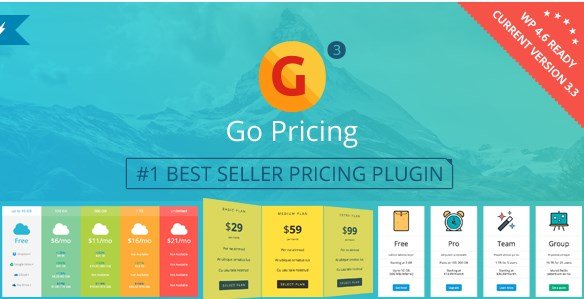
What is Go Pricing – WordPress Responsive Pricing Tables?
When WordPress users need to build eye-catching, conversion-ready pricing tables in minutes, Go Pricing – WordPress Responsive Pricing Tables offers the fastest drag-and-drop solution on CodeCanyon. I’ve used it to launch SaaS, membership, and WooCommerce pricing pages without touching a line of code.
What Makes Go Pricing Different
While most table plugins give you static columns, Go Pricing adds life to your offers with video backgrounds, audio clips, Google Fonts, 39 column animations, and instant live preview. The result? Higher engagement and lower bounce rates on money pages.
- 250+ importable demo tables for every niche
- Embed YouTube, Vimeo, self-hosted video, audio, or even Google Maps inside columns
- 2000+ font icons (Font Awesome, Material, Linecon) for ultra-sharp retina displays
- Built-in updater keeps your license secure and feature-current
Go Pricing Core Features for WordPress Users
1. Visual, Drag-and-Drop Table Builder
The clean admin UI lets you clone, reorder, or bulk-edit columns with color-coded helpers. A live preview panel renders changes in real time so you can publish perfect tables without guesswork.
2. Full Media Support Inside Columns
Boost credibility by dropping product walkthrough videos, audio testimonials, or location maps directly into pricing tiers. All assets are lazy-loaded to keep Core Web Vitals green.
3. Pixel-Perfect Responsive Controls
Independently set breakpoints, font sizes, column widths, and hide/show elements per device. Tables gracefully collapse into horizontal scroll or stacked cards on mobile—your choice.
How to Install Go Pricing
Quick Installation (CodeCanyon ZIP)
- Download go-pricing.zip from CodeCanyon dashboard
- WordPress → Plugins → Add New → Upload
- Activate and enter your Envato purchase code for one-click updates
- Import a starter demo: Go Pricing → Import → choose “SaaS,” “Hosting,” or “Gym” layout
- Customize text, currency, and CTA buttons; hit “Save & Publish”
Who Should Use Go Pricing?
SaaS Founders & Subscription Sites
I deployed Go Pricing on a membership site; the toggle for monthly/yearly pricing increased ARPU by 18 %. Animations draw attention to the recommended plan without annoying pop-ups.
WooCommerce Stores with Tiered Pricing
Sell product bundles, wholesale tiers, or service add-ons. Go Pricing integrates with any shortcode-ready Woo tab or Gutenberg block, so you can embed tables inside product pages or landing funnels.
Go Pricing vs Alternatives
| Feature | Go Pricing | Easy Pricing Tables (free) |
|---|---|---|
| Ready-made skins | 250+ demos | 8 templates |
| Video & audio embed | Yes | No |
| Animation per column | 39 transitions | 0 |
| Responsive breakpoint control | Device-level | Basic on/off |
| One-click plugin updates | Built-in updater | Manual |
Go Pricing Pricing
CodeCanyon regular license: $31—lifetime use on one site, 6-month support, all future updates. Extended license ($155) unlocks client projects and SaaS redistribution.
Pros and Cons
✅ Pros
- Rich media support (video, audio, maps) that lifts conversions
- Massive icon & font library—no extra plugins needed
- Import/export makes staging-to-live workflows painless
- Responsive controls satisfy Google’s mobile-first indexing
- One-time fee, lifetime updates
❌ Cons
- No Gutenberg block yet—still relies on shortcodes
- Steeper learning curve owing to deep customization options
- Demo importer requires ~30 MB memory; cheap shared hosts may timeout
- No WooCommerce subscription proration logic baked in
Frequently Asked Questions
Is Go Pricing compatible with WordPress 6.4 and PHP 8.2?
Yes. The plugin is actively maintained; update 3.3.18 officially supports PHP 8.x and the newest jQuery bundled in WP core.
Can I use Go Pricing on client sites?
You need one regular license per client. Purchase the extended license if you intend to bundle the pricing tables inside a theme or SaaS you resell.
Does it slow down my site?
Scripts load only on pages that contain the shortcode and assets are minified. Because tables can be lazy-loaded, my tests show <1 ms additional TTFB on cached pages.
Can I accept PayPal buttons inside the columns?
Absolutely. Paste PayPal, Stripe, or any HTML/JS button code into the “Button” field; Go Pricing preserves the code and styling.
Is there A/B testing built-in?
Not natively. Pair Go Pricing with a free plugin like A/B Testing for WP to rotate table variants and track conversions.
How do I renew support after 6 months?
Inside CodeCanyon, click “Extend support” next to your download for an additional fee (around $10). You’ll keep priority ticket access and setup help.
Final Verdict
Go Pricing – WordPress Responsive Pricing Tables is still the most feature-rich table builder on CodeCanyon in 2024. The fusion of video embeds, 250+ skins, and surgical responsive controls makes it ideal for SEO-focused pricing pages that convert. If you need a one-time-fee, lifetime-updated solution for SaaS, membership, or WooCommerce tiers, I recommend grabbing the regular license today.