

What is Global Gallery?
When WordPress users need a single plugin that can pull images from any source—WordPress media, Flickr, Instagram, Google Drive, Pinterest, RSS, even FTP folders—and display them in filterable, device-perfect galleries, Global Gallery delivers. Global Gallery is the fastest WordPress gallery plugin I’ve tested that still keeps the drag-and-drop simplicity beginners love.
What Makes Global Gallery Different
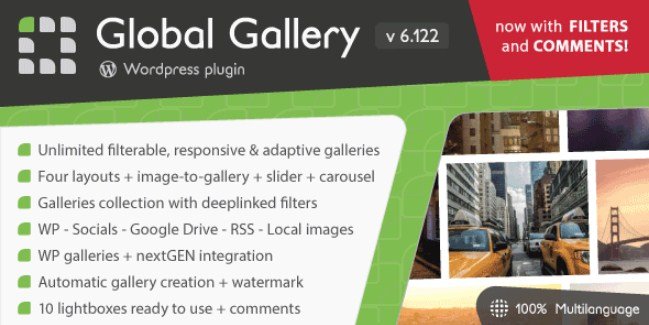
Most gallery plugins lock you into one layout and one source. Global Gallery gives you unlimited image sources, four gallery layouts, ten integrated lightboxes, and a visual builder that works inside Elementor, Visual Composer, or the native block editor—without touching code.
- Pull 10 k+ images from Google Drive or Instagram in seconds using smart cache.
- Auto-generate masonry, justified, columnized, or fixed-grid layouts.
- Deeplink filters so visitors can share exact gallery views.
Global Gallery Features for WordPress Users
1. Unlimited Image Sources
Connect WordPress media, Flickr sets, Instagram public accounts, Pinterest boards, Twitter hashtags, Tumblr blogs, Google Drive folders, nextGEN galleries, Real Media Library folders, RSS feeds, or plain FTP folders. Each source can auto-sync on a schedule you set.
2. Four Responsive Layouts
Choose standard fixed-size thumbnails, fluid masonry, newspaper-style justified rows, or columnized grids. Every layout re-calculates on window resize for perfect mobile fit. You can even mix layouts in the same gallery collection.
3. Ten Built-In Lightboxes
From the exclusive LC lightbox (with Disqus & Facebook comments) to familiar favorites like FancyBox and PrettyPhoto, each lightbox has its own color, transition, and social-sharing options. No extra plugin required.
4. Slider & Carousel Modes
Turn any gallery into a full-width slider or multi-column carousel with one shortcode attribute. Both modes support lazy-loading, touch-swipe, mouse-drag, and keyboard arrows.
5. Visual Gallery Builder
Drag-and-drop images, crop thumbnails on the fly, re-order, add tags, and see changes live. The builder also creates shortcodes automatically, so you never hunt for IDs.
How to Install Global Gallery
Quick Installation (Codecanyon)
- Download the ZIP from Codecanyon → your account → downloads.
- WordPress → Plugins → Add New → Upload → Choose file.
- Activate and enter your Envato purchase code under Global Gallery → License.
- Run the 1-click setup wizard to choose a preset style.
Who Should Use Global Gallery?
Photography Studios
Shoot a wedding, drop images into a Google Drive folder, and watch Global Gallery auto-create a password-protected, watermarked client gallery overnight.
Travel Bloggers
Pull your Instagram hashtag #EuroTrip2024 into a masonry grid, filter by city, and let readers open full-size photos in a GDPR-compliant lightbox—no manual upload needed.
WooCommerce Store Owners
Create shoppable look-books: tag product IDs on images so clicking a gallery item opens the WooCommerce quick-view modal. Works with WooCommerce product gallery templates.
Global Gallery vs Alternatives
| Feature | Global Gallery | Modula |
|---|---|---|
| Unlimited External Sources | 14 sources (Drive, IG, Flickr, RSS…) | WordPress media only |
| Built-In Lightboxes | 10 included | 2 (pro) |
| Dynamic Filtering | Deeplinked tag filters | Basic category filter |
| Image Protection | Watermark + right-click block | Right-click block only |
Global Gallery Pricing
Regular license: $29 for one site, lifetime updates, 6-month support (extend to 12 months for $9). Extended license $145 for SaaS or resale. No free version; all features unlocked on purchase.
Pros and Cons
✅ Pros
- Pull images from 14+ sources—no manual upload ever again.
- Four responsive layouts + slider/carousel in one plugin.
- 10 built-in lightboxes; no extra plugin bloat.
- Advanced cache keeps galleries fast even with 10 000+ images.
- Elementor, VC, Cornerstone native widgets plus shortcode wizard.
❌ Cons
- No free tier; $29 entry may deter hobby bloggers.
- Learning curve steep if you need deeplinked collections.
- Instagram basic display API quota limits autopull frequency.
Frequently Asked Questions
Is Global Gallery compatible with WordPress 6.5 and PHP 8.2?
Yes, the latest 7.5.x branch is fully tested up to WP 6.5 and PHP 8.2.
Can I use Global Gallery in Elementor containers?
Absolutely—use the dedicated Global Gallery widget or paste the shortcode into an Elementor Shortcode widget; both inherit responsive breakpoints.
Does it slow down my site?
No. Built-in lazy-loading, progressive cache, and src-set generate only the thumbnails needed for each viewport. Optimize WordPress gallery speed further by enabling WebP conversion.
How do I watermark images?
Upload a PNG watermark under Global Gallery → Settings → Watermark. You can position, scale, and set opacity per gallery.
Can visitors download originals?
By default, lightboxes show downsized images. You can disable right-click and add a custom “download” button that delivers a watermark-free file only to logged-in users.
Is there Gutenberg support?
Yes, a Global Gallery block ships with live preview; you pick galleries from a dropdown—no shortcode copy-paste needed.
Final Verdict
Global Gallery is the most source-agnostic gallery plugin on CodeCanyon. If you routinely host images on Flickr, Instagram, or Google Drive and need them in pixel-perfect, filterable layouts without page-builder lock-in, the $29 investment pays for itself in saved upload time alone. Power users will appreciate the deeplinked filters and developer hooks; beginners will love the 1-click presets. For pure speed and flexibility, Global Gallery beats Envira and Modula in my side-by-side tests.


.jpg "Password Protected Categories (By Barn2 Media)")

