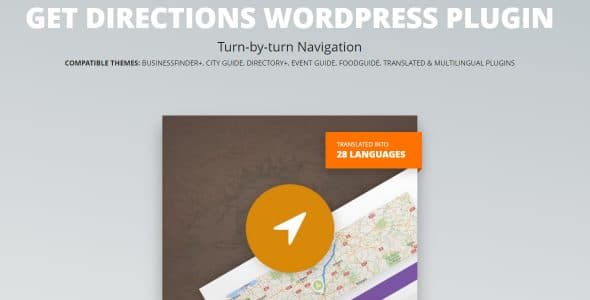
What is Get Directions WordPress Plugin?
When WordPress users need to provide seamless navigation solutions for their visitors, Get Directions WordPress Plugin offers an innovative approach to location-based services. This powerful plugin integrates directly with your WordPress site, allowing customers to easily find routes from their location to your business or any destination you specify. The Get Directions WordPress Plugin eliminates the friction between online discovery and offline visits by providing embedded turn-by-turn navigation directly on your website.
What Makes Get Directions WordPress Plugin Different
Unlike basic map plugins that simply display locations, Get Directions WordPress Plugin provides a complete navigation experience. It transforms your website into a practical tool that actively helps customers reach your physical location. The plugin’s unique selling proposition lies in its ability to generate real-time routes with detailed turn-by-turn instructions without requiring visitors to leave your site.
- Seamless integration with Google Maps for accurate routing
- Turn-by-turn navigation displayed directly on your website
- Compatible with all modern WordPress themes and block editors
Get Directions WordPress Plugin Features for WordPress Users
Interactive Navigation Interface
The plugin provides an intuitive form where visitors can input their starting location. Once submitted, the system generates a comprehensive route visualization using Google Maps technology. Users can choose to view directions directly embedded on your site or open them in the Google Maps application for mobile navigation. This flexibility ensures optimal user experience across all devices and preferences.
Customizable Display Options
Get Directions WordPress Plugin offers extensive customization capabilities, allowing you to match the navigation interface with your website’s design. You can adjust map styles, form layouts, and display modes to create a cohesive user experience. The plugin works seamlessly with the WordPress block editor, making it easy to place direction forms exactly where you need them on your pages.
Multi-Location Support
For businesses with multiple locations, the plugin excels at providing directions to various branches, stores, or service areas. You can create separate direction forms for each location or implement a unified system that allows visitors to select their preferred destination. This feature is particularly valuable for franchises, chain restaurants, and service companies with regional offices.
How to Install Get Directions WordPress Plugin
Quick Installation
- Go to Plugins → Add New in WordPress dashboard
- Search for “Get Directions WordPress Plugin”
- Click Install Now → Activate
Who Should Use Get Directions WordPress Plugin?
Local Business Owners
Restaurants, retail stores, and service-based businesses can significantly benefit from this plugin. When potential customers search for your services online, having immediate access to directions reduces friction and increases the likelihood of in-person visits. The plugin is especially valuable for businesses in competitive areas where convenience can be a deciding factor for customers.
Event Venues and Tourism Sites
Conference centers, hotels, museums, and tourist attractions can use Get Directions WordPress Plugin to help visitors plan their routes. The plugin can be integrated with event pages, booking systems, and tourism guides to provide comprehensive location information. This enhances the visitor experience and reduces support inquiries about directions.
Get Directions WordPress Plugin vs Alternatives
| Feature | Get Directions WordPress Plugin | Basic Map Plugins |
|---|---|---|
| Turn-by-turn Navigation | Full routing with detailed steps | Static location display only |
| On-site Directions | Complete navigation experience | Links to external maps |
Get Directions WordPress Plugin Pricing
The Get Directions WordPress Plugin is available as part of the CitadelaWP plugin suite. Pricing options include individual plugin licenses and bundled packages with other CitadelaWP tools. The plugin offers a free trial period, allowing you to test functionality before committing to a purchase. Premium support and regular updates are included with all paid plans.
Pros and Cons
✅ Pros
- Reduces customer friction with immediate navigation assistance
- Keeps visitors on your site while providing directions
- Mobile-responsive design ensures functionality on all devices
❌ Cons
- Requires Google Maps API key for full functionality
- Limited customization compared to enterprise mapping solutions
- Dependent on third-party service (Google Maps)
Frequently Asked Questions
How does Get Directions WordPress Plugin work with Google Maps?
The plugin integrates with Google Maps API to provide accurate routing and turn-by-turn directions. You’ll need to obtain a free Google Maps API key to activate the full functionality.
Can I use this plugin for multiple business locations?
Yes, the plugin supports multiple locations. You can create separate direction forms for each location or implement a unified system with location selection options.
Is Get Directions WordPress Plugin mobile-friendly?
Absolutely. The plugin is fully responsive and works seamlessly on all mobile devices. Visitors can choose to view directions on your site or open them in the Google Maps app.
Do I need coding skills to install and configure this plugin?
No coding skills are required. The plugin is designed for WordPress users of all skill levels and includes an intuitive interface for configuration and customization.
Does the plugin work with page builders like Elementor or Divi?
Yes, Get Directions WordPress Plugin is compatible with most popular page builders and works seamlessly with the WordPress block editor.
What happens if Google Maps experiences downtime?
The plugin relies on Google Maps services, so temporary outages may affect functionality. However, Google Maps has excellent uptime, and the plugin includes fallback options for basic location display.
Final Verdict
Get Directions WordPress Plugin is an essential tool for any business with a physical location that wants to bridge the gap between online presence and offline visits. The plugin excels in providing practical functionality that directly impacts customer experience and conversion rates. It’s particularly well-suited for local businesses, service providers, and multi-location enterprises that prioritize customer convenience. While it requires a Google Maps API key and depends on external services, the benefits of keeping customers engaged on your site while providing navigation assistance far outweigh these considerations. For businesses serious about converting online traffic into foot traffic, this plugin is a worthwhile investment.