

What is Follow My Blog Post – WordPress Plugin?
When WordPress users need a way to keep their audience engaged with specific content updates, Follow My Blog Post – WordPress Plugin offers an elegant solution that allows readers to subscribe to notifications for individual posts or pages. This plugin bridges the gap between your content and your most interested readers by providing a follow system that alerts users when content they care about is updated.
What Makes Follow My Blog Post Different
Follow My Blog Post – WordPress Plugin stands out from other notification systems by focusing on granular, content-specific subscriptions rather than general site-wide newsletters. While most subscription plugins only allow users to subscribe to your entire blog, this plugin enables visitors to follow specific posts or pages that interest them most, creating a more personalized experience and higher engagement rates.
- Enables users to follow individual posts/pages rather than the entire site
- Sends automatic email notifications when followed content is updated
- Integrates seamlessly with your existing WordPress design
Follow My Blog Post Features for WordPress Users
Content Subscription System
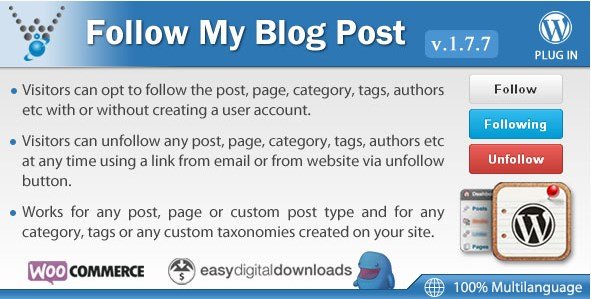
The core functionality of Follow My Blog Post – WordPress Plugin is its robust subscription system. Visitors can easily follow specific posts or pages by clicking a follow button placed strategically within your content. This creates a direct line of communication for that particular piece of content, ensuring users receive notifications only for updates to content they’ve expressed interest in. Unlike other WordPress plugins that focus on site-wide subscriptions, this approach targets specific content engagement.
Automated Email Notifications
When a user follows a post and you make updates to that content, the plugin automatically sends an email notification to all followers. These emails are customizable to match your brand, allowing you to maintain consistency across all communication channels. The notification system is reliable and efficient, ensuring your followers never miss important updates to the content they care about. According to email marketing best practices, targeted notifications like these have higher open rates than generic newsletters.
User Management Dashboard
The plugin includes a comprehensive dashboard where you can manage all your followers, view which posts have the most engagement, and analyze subscription patterns. This data helps you understand which content resonates most with your audience, allowing you to create more of what your users want to see. You can also manually manage subscriptions, export user data, and customize notification settings from this centralized interface.
How to Install Follow My Blog Post
Quick Installation
- Purchase and download the plugin from CodeCanyon
- Go to Plugins → Add New in WordPress dashboard
- Click Upload Plugin and select the downloaded zip file
- Click Install Now → Activate
- Configure your settings from the new Follow My Blog Post menu item
Who Should Use Follow My Blog Post?
Content Creators with Regularly Updated Posts
If you regularly update your content with new information, such as tutorials that get revised with new techniques or product reviews that receive updates, Follow My Blog Post – WordPress Plugin is perfect for you. It ensures that readers who have bookmarked or engaged with that content will know when there’s something new to see, driving repeat traffic to your most valuable posts.
Tech Bloggers and Tutorial Writers
Tech content often requires updates as software versions change or new methods are discovered. This plugin allows tech bloggers to keep their tutorials current and notify readers when important updates are made. It’s especially useful for WordPress theme and plugin developers who need to communicate changes to documentation or setup guides. For additional tools to enhance your WordPress site, check out our WordPress plugins collection.
Follow My Blog Post vs Alternatives
| Feature | Follow My Blog Post | Jetpack Subscriptions |
|---|---|---|
| Granular Content Subscriptions | Users can follow individual posts/pages | Only site-wide subscriptions |
| Email Customization | Fully customizable notification emails | Limited customization options |
| Integration | Standalone plugin | Requires Jetpack installation |
| Performance | Lightweight with minimal impact | Can be resource-intensive |
Follow My Blog Post Pricing
Follow My Blog Post – WordPress Plugin is available as a premium plugin through CodeCanyon for a one-time purchase of $18. This includes 6 months of support from the developer, with the option to extend support to 12 months for an additional $5.63. The purchase includes lifetime updates, ensuring that the plugin remains compatible with the latest versions of WordPress and continues to function properly as your site evolves.
Pros and Cons
✅ Pros
- Granular content-specific subscription system
- Automated email notifications for content updates
- Customizable email templates to match your brand
- User-friendly interface for both admins and visitors
- Reliable performance with minimal impact on site speed
- One-time purchase with lifetime updates
❌ Cons
- Only available as a premium plugin (no free version)
- Limited integration with third-party email services
- Requires some technical knowledge for advanced customization
Frequently Asked Questions
How does Follow My Blog Post plugin work?
The plugin adds a follow button to your posts and pages. When users click this button, they subscribe to that specific content. When you update that content, the plugin automatically sends an email notification to all followers.
Can I customize the follow button?
Yes, Follow My Blog Post offers customization options for the follow button, including text, color, and position. You can match it to your site’s design for a seamless user experience.
Does this plugin work with all WordPress themes?
Follow My Blog Post is designed to be compatible with most standard WordPress themes. It uses WordPress best practices for integration and should work seamlessly with properly coded themes.
Can users unsubscribe from specific posts?
Yes, users can easily unfollow posts and pages directly from the follow button or from the email notifications they receive, giving them full control over their subscriptions.
Does the plugin integrate with email marketing services?
Follow My Blog Post operates as a standalone notification system. While it doesn’t directly integrate with third-party email marketing platforms, it provides its own reliable email delivery system for content updates.
Is Follow My Blog Post compatible with the latest WordPress version?
Yes, the plugin is actively maintained and receives regular updates to ensure compatibility with the latest versions of WordPress, including security patches and new features.
Final Verdict
Follow My Blog Post – WordPress Plugin is a valuable tool for content creators who regularly update their posts and pages and want to keep their most engaged readers informed. Its granular subscription system fills a gap in the WordPress ecosystem that general newsletter plugins can’t address. It’s particularly well-suited for tech bloggers, tutorial writers, and anyone who maintains content that requires periodic updates. While the $18 price point might be a consideration for some, the one-time payment with lifetime updates makes it a worthwhile investment for sites that value user engagement and content longevity.


.png "Give BitPay")

