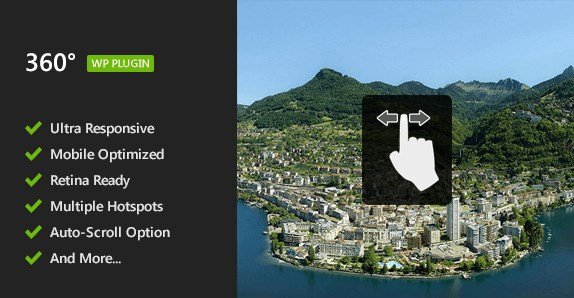
What is Flat 360° Panoramic Viewer – WordPress Plugin?
When WordPress users need to transform static flat rectilinear panoramic images into interactive, immersive experiences, Flat 360° Panoramic Viewer – WordPress Plugin offers a comprehensive solution that adds scrolling functionality and hotspots without requiring complex coding. This powerful plugin takes your ordinary panorama photography and converts it into an engaging 360° viewing experience that works seamlessly across all devices and screen sizes.
What Makes Flat 360° Panoramic Viewer Different
Unlike other 360-degree viewers that require spherical images or complex setups, Flat 360° Panoramic Viewer specializes in working with flat panoramic images that most photographers already have. This plugin stands out by combining simplicity with powerful features, allowing users to add interactive hotspots through a standard HTML
- Specialized for flat panoramic images without the need for spherical conversion
- Built-in shortcode generator that eliminates the need for coding knowledge
- Complete Gutenberg compatibility for seamless integration with modern WordPress sites
- Advanced hotspot functionality using simple HTML map tags
- Full responsiveness across all devices from smartphones to desktops
Flat 360° Panoramic Viewer Features for WordPress Users
Image Handling & Display Options
The plugin excels in handling flat panoramic images specifically designed for WordPress environments. It automatically adapts to the width of its container, making it perfect for responsive designs. You have precise control over the visibility angle, offering both 180° and 360° viewing options depending on your needs. The auto-scroll feature with sliding controls allows users to navigate the panoramic image smoothly, creating an immersive experience that feels natural. This flexibility makes it ideal for showcasing wide-angle shots of landscapes, interiors, or any panoramic photography you want to display interactively.
Hotspot Functionality & Integration
One of the most powerful features of Flat 360° Panoramic Viewer is its hotspot capability. The plugin allows you to add interactive hotspots to your panoramic images by simply using a standard HTML
Editor Integration & User Experience
Flat 360° Panoramic Viewer offers exceptional integration with WordPress editors. The plugin includes a shortcode generator built directly into the TinyMCE WordPress editor toolbar, making it incredibly easy for users without coding experience to implement panoramic viewers. For those using the modern WordPress block editor, the plugin is fully compatible with Gutenberg, ensuring it works seamlessly with the latest WordPress interface. You can implement multiple panoramic viewers on a single page without conflicts, and the plugin works across pages, posts, widgets, and custom shortcode-based plugin sections. The intuitive interface combined with comprehensive documentation means you can get up and running quickly with minimal technical knowledge.
How to Install Flat 360° Panoramic Viewer
Quick Installation
- Purchase the plugin from CodeCanyon and download the ZIP file
- Go to Plugins → Add New in WordPress dashboard
- Click Upload Plugin and select the downloaded ZIP file
- Click Install Now → Activate the plugin
- Access the settings through the Flat 360° Panoramic Viewer menu in your dashboard
Who Should Use Flat 360° Panoramic Viewer?
Real Estate Professionals
Real estate agents and property managers can leverage Flat 360° Panoramic Viewer to create virtual property tours that showcase homes, commercial spaces, or land parcels. By using hotspots to highlight key features like appliances, architectural details, or room dimensions, agents can provide prospective buyers with an immersive experience that helps them visualize the property better than static images alone. The plugin’s responsive design ensures that these virtual tours look great on any device, which is crucial as many house hunters begin their search on mobile devices.
Tourism & Hospitality Businesses
Hotels, resorts, museums, and tourist attractions can use this plugin to create engaging virtual previews of their facilities. Hotels can showcase their lobbies, rooms, and amenities, while museums can create virtual gallery tours that highlight exhibits through interactive hotspots. Travel agencies can provide panoramic views of destinations, helping potential travelers visualize their experience. The plugin’s ability to work with both the classic and Gutenberg editors makes it easy to integrate these virtual experiences into existing WordPress websites regardless of the theme or page builder being used.
Photographers & Creative Professionals
Photographers specializing in panoramic photography can showcase their work in an interactive format that better represents their artistic vision. Event photographers can create immersive experiences from weddings, concerts, or corporate events. Architectural photographers can display buildings and interior spaces in a way that allows viewers to explore details at their own pace. The plugin’s focus on flat panoramic images rather than requiring specialized spherical photography makes it accessible to photographers with standard panoramic equipment.
Flat 360° Panoramic Viewer vs Alternatives
| Feature | Flat 360° Panoramic Viewer | WP VR – 360 Panorama & Virtual Tour |
|---|---|---|
| Image Type Support | Specialized for flat panoramic images | Spherical and panoramic images |
| Editor Compatibility | Full support for both Classic Editor and Gutenberg | Mostly Gutenberg focused with limited Classic Editor support |
| Hotspot Implementation | Simple HTML | Custom hotspot builder with more options but steeper learning curve |
| Setup Complexity | Low complexity with shortcode generator | Medium complexity with more configuration options |
| Pricing Model | One-time purchase from CodeCanyon | Freemium with premium features available through purchase |
Flat 360° Panoramic Viewer Pricing
Flat 360° Panoramic Viewer is available as a premium plugin through CodeCanyon with a one-time purchase model. The pricing includes lifetime access to the plugin, future updates, and six months of support from the developer, with the option to extend support for an additional fee. Unlike subscription-based alternatives, this pricing model makes it cost-effective for long-term use without recurring payments. The plugin can be used on an unlimited number of projects once purchased, making it particularly valuable for developers or agencies managing multiple WordPress sites.
Pros and Cons
✅ Pros
- Specialized for flat panoramic images without requiring spherical conversion
- User-friendly interface with built-in shortcode generator
- Full compatibility with both Classic Editor and Gutenberg
- Seamless hotspot functionality using standard HTML
- Fully responsive design optimized for all modern devices
- Touch support for mobile and tablet users
- Multiple instances can be used on a single page
- Multi-site configuration support
❌ Cons
- Only supports flat panoramic images, not spherical or other formats
- Advanced features may require some HTML, JS, and CSS knowledge
- Doesn’t include a built-in lightbox solution (requires compatible third-party plugin)
- Premium-only pricing with no free version available for testing
- More limited virtual tour features compared to comprehensive virtual tour builders
Frequently Asked Questions
Does Flat 360° Panoramic Viewer work with the Gutenberg editor?
Yes, Flat 360° Panoramic Viewer is fully compatible with the Gutenberg WordPress editor. The plugin has been specifically updated to work seamlessly with both the classic TinyMCE editor and the modern Gutenberg block editor, ensuring you can use it regardless of which WordPress editor you prefer.
Can I use multiple panoramic viewers on the same page?
Absolutely! Flat 360° Panoramic Viewer supports multiple instances on a specific page without any conflicts. You can add different panoramic images to various sections of your page, post, or widget area, and each will function independently with its own settings and hotspots.
Do I need to know how to code to use this plugin?
Not for basic functionality. The plugin includes a shortcode generator built into the TinyMCE editor toolbar that makes implementation simple even for users without coding knowledge. However, for more advanced features like custom hotspots with complex interactions, some HTML, JS, and CSS knowledge might be helpful, though comprehensive documentation is provided to guide you through these advanced options.
Is Flat 360° Panoramic Viewer mobile-friendly?
Yes, the plugin is fully responsive and optimized for all modern devices including smartphones, tablets, desktop computers, and laptops. It includes mobile/touchpad support, ensuring that users can interact with your panoramic images smoothly regardless of what device they’re using to view your site.
What image formats does the plugin support?
Flat 360° Panoramic Viewer is specifically designed to work with flat panoramic images (rectilinear panoramas) rather than spherical or other more complex panorama formats. This specialization makes it perfect for photographers who already work with standard panoramic photography without requiring additional conversion processes.
Can I integrate hotspots with my panoramic images?
Yes, one of the plugin’s key features is the ability to add hotspots to your panoramic images. You can achieve this by linking a standard HTML
Final Verdict
Flat 360° Panoramic Viewer is a specialized, user-friendly solution for WordPress users looking to transform their flat panoramic images into interactive experiences without the complexity of spherical conversion or advanced virtual tour builders. Its strength lies in its simplicity and focused approach, making it particularly well-suited for photographers, real estate professionals, tourism businesses, and anyone who wants to add interactivity to their panoramic photography with minimal technical overhead. While it may lack the comprehensive features of more complex virtual tour plugins, its straightforward implementation, compatibility with both WordPress editors, and reliable performance make it an excellent choice for its specific use case. If your primary need is showcasing flat panoramic images with smooth scrolling and hotspot functionality, this plugin delivers exactly that with a user-friendly approach that doesn’t require extensive technical knowledge.