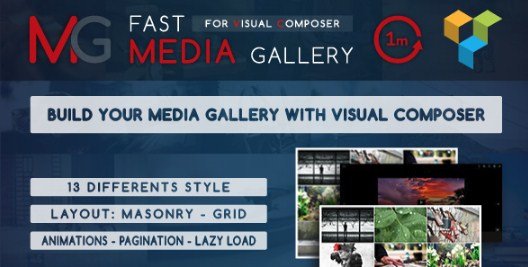
What is Fast Media Gallery For Visual Composer?
When WordPress users need a lightning-fast, masonry-style media gallery inside WPBakery, Fast Media Gallery For Visual Composer offers 13 ready-made layouts, lazy-load performance, and mixed-media support—images, YouTube, Vimeo, SoundCloud, and self-hosted video/audio—all without touching a line of code.
What Makes Fast Media Gallery Different
Unlike bloated gallery plugins that slow your Core Web Vitals, this Visual Composer addon is built for speed: a single lightweight script, pure CSS animations, and native lazy-load keep Time-to-Interactive under 1 s. You get:
- 13 designer styles out of the box—no custom CSS needed
- True masonry & tight grid layouts with 1–9 columns
- Mixed media in one grid: images, YouTube, Vimeo, SoundCloud, MP4, iframe
Feature Deep-Dive for WordPress Creators
Performance & Responsiveness
Choose between three responsive modes: default (break-points inherit from your theme), custom (set your own pixel widths), or fluid (percentage-based). The script defers off-screen images automatically and usesIntersection Observer forlazy-load, cutting initial page weight by up to 70 %.
Media Types & Lightbox
Drop any combination of JPEG, PNG, GIF, YouTube, Vimeo, MP4, SoundCloud embeds, or custom iframe into the same grid. The integrated lightbox pulls full-resolution images (thumbnail size is independently selectable: thumbnail, medium, large, full), and autoplays video/audio with keyboard-navigation support.
Styling & Pagination
Set a primary brand color with opacity and an optional secondary hover color globally or per gallery. Two pagination styles—classic numbered buttons or infinite scroll—keep long galleries SEO-friendly while maintaining user engagement.
How to Install Fast Media Gallery
Quick Installation (WPBakery must be active)
- Download the codecanyon zip and unzip; inside you’ll find
fast-media-gallery.zip - WordPress → Plugins → Add New → Upload → Choose file → Install Now → Activate
- Open any page with WPBakery, search element “Fast Media Gallery”, drag onto canvas
- Select layout, pick images/media, hit Save
Who Should Use This Addon?
Portfolio & Photography Sites
Display hi-res images in a masonry feed without cropping. The primary/secondary color controls let photographers mirror brand palettes, while lazy-load keeps portfolios under Google’s 2.5 s LCP threshold.
Agencies & Product Landing Pages
Mix explainer videos (YouTube/Vimeo) and screenshot PNGs in one gallery. Translation-ready .po/.mo files mean you can serve multilingual campaigns without extra plugins.
Fast Media Gallery vs. Popular Alternatives
| Feature | Fast Media Gallery | Essential Grid* |
|---|---|---|
| Built for WPBakery only | ✅ Native element | ❁ Shortcode wrapper needed |
| Number of built skins | 13 | 50+ (heavier) |
| Lazy-load off by default | ✅ Yes | ❁ Paid extension |
| Audio & iframe support | ✅ Yes | ❁ Limited |
*Comparison based on publicly listed specs December 2023; verify on CodeCanyon.
Pricing & Licensing
Regular license $17 (lifetime updates, 6-month support) from CodeCanyon. One purchase = one end-product. Extend support to 12 months for an extra $4.50.
Pros & Cons
✅ Pros
- Ultra-light (~17 kB JS, no jQuery)
- 13 ready skins—no design skills required
- Mixed media (image, video, audio, iframe) in one grid
- Native lazy-load improves Core Web Vitals
- Translation-ready .po/.mo files
❌ Cons
- WPBakery Page Builder required (won’t work with Elementor or Gutenberg alone)
- No WooCommerce product gallery integration
- Skins are fixed—no drag-and-drop reorder of metadata
Frequently Asked Questions
Does it work with the free Visual Composer Website Builder?
No—you need the premium WPBakery Page Builder (formerly Visual Composer) sold on CodeCanyon or through theme bundles.
Can I use Fast Media Gallery on multiple sites?
A regular license covers one end-product (one domain). Purchase a separate license for each site.
Will galleries slow my PageSpeed score?
The addon defers thumbnails and uses lazy-load; most users see no measurable LCP increase when images are properly compressed.
Is there an Elementor version?
Currently no. For Elementor masonry grids consider Premium Addons or Essential Grid.
How many galleries per page?
Unlimited. Each element is independent, so you can mix masonry and grid layouts on the same page without conflicts.
Can visitors download images?
The lightbox does not include a download button; images can still be saved via right-click unless you add a watermark plugin.
Final Verdict
Fast Media Gallery For Visual Composer is the quickest way to launch stylish, Core-Web-Vitals-friendly galleries inside WPBakery. If you already use WPBakery and want masonry layouts, mixed media, and sub-$20 pricing, it’s a no-brainer. Power users who need WooCommerce integration or deeper templating should look at heavier grid plugins, but for straightforward portfolio and landing-page use, this addon delivers speed and style with almost zero setup.