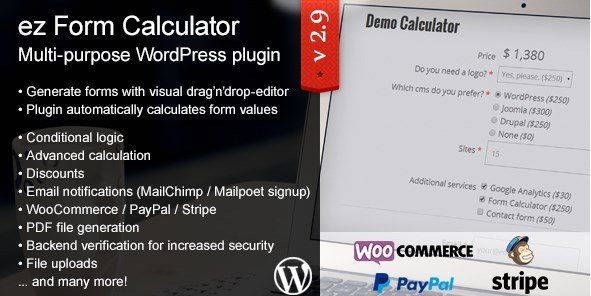
What is ez Form Calculator – WordPress plugin?
When WordPress users need to transform static websites into interactive lead-generation machines, the ez Form Calculator – WordPress plugin offers a robust, code-free solution. As an experienced developer, I have seen many site owners struggle with implementing dynamic pricing on their sites without hiring expensive programmers. This plugin bridges that gap by providing an intuitive form creator that handles everything from simple contact forms to advanced cost estimators. If you are looking to automate quotes, calculate service costs in real-time, or collect payments based on user input, this tool is designed specifically for those needs.
What Makes ez Form Calculator Different
Unlike standard form builders like Contact Form 7 or Gravity Forms, which require third-party add-ons to perform basic math, the ez Form Calculator – WordPress plugin is built from the ground up with calculation logic at its core. It does not just collect data; it processes it instantly. Its unique selling proposition lies in its visual calculation editor and the ability to generate professional PDF files directly from user submissions. This makes it an all-in-one solution for businesses that need to provide instant quotes to potential clients.
- Real-time automatic calculations without coding knowledge.
- Visual drag-and-drop interface for complex form structures.
- Native PDF generation and email automation for professional quotes.
ez Form Calculator Features for WordPress Users
Advanced Calculation Logic
At the heart of the plugin is its powerful calculation engine. You can create formulas using basic arithmetic or complex functions that reference other form elements. For instance, if you run a cleaning service, you can set up a form where the total price changes automatically based on the square footage selected, the frequency of service, and specific add-ons like deep cleaning or window washing. The plugin supports conditional logic, meaning you can show or hide specific fields based on previous answers, ensuring the user only sees relevant options. This keeps the interface clean while maintaining backend complexity.
Visual Form Builder & Elements
The plugin provides a comprehensive suite of form elements that go beyond standard text inputs. You can easily add checkboxes, dropdown menus, radio buttons, sliders, and date pickers. What I appreciate about the ez Form Calculator – WordPress plugin is how these elements integrate with the math logic. A slider is not just a visual input; it can be assigned a specific value factor that updates the total price instantly as the user drags it. This interactivity increases user engagement, as customers can “play” with the numbers to see how different choices affect their final cost. You can check out other form solutions on our site, but few offer this level of native integration. For more complex form needs, you might also look at Caldera Forms, but ez remains superior for pure calculation tasks.
PDF Generation and Email Automation
Once a user submits their calculation, the work is not done. You often need to send a formal quote. The plugin allows you to customize response emails and attach generated PDF files automatically. You can design these PDFs using HTML/CSS to match your brand identity, including your logo, terms of service, and the detailed breakdown of costs. This feature is invaluable for B2B businesses where a paper trail is required for approval. It automates the workflow from “Interest” to “Quote” in seconds, significantly reducing the administrative overhead of manual invoicing.
How to Install ez Form Calculator
Quick Installation
- Log in to your WordPress dashboard and navigate to Plugins → Add New.
- Click the “Upload Plugin” button at the top of the page.
- Select the ZIP file you downloaded from CodeCanyon and click Install Now.
- Activate the plugin and enter your purchase code to receive automatic updates.
Who Should Use ez Form Calculator?
Web Designers and Creative Agencies
Agencies often struggle with scoping projects. By using the ez Form Calculator – WordPress plugin, you can create a “Project Cost Estimator” on your website. Clients can select the number of pages, design complexity, SEO requirements, and content writing needs. The form calculates an estimated budget range immediately. This filters out clients who cannot afford your services and provides a qualified lead who understands your baseline pricing.
Service-Based Businesses (Cleaning, Construction, Coaching)
For industries where pricing is variable based on specs, this plugin is essential. A construction company can calculate square footage costs, material choices, and labor hours. A cleaning service can estimate based on room count and frequency. The plugin handles the logic, ensuring the customer gets an instant price while you get a detailed notification of exactly what they requested. This transparency builds trust and increases conversion rates. For more information on managing WordPress security for these forms, refer to the official WordPress documentation.
ez Form Calculator vs Alternatives
| Feature | ez Form Calculator | Calculated Fields Form |
|---|---|---|
| Visual Builder | Intuitive drag-and-drop interface | Form-based builder, steeper learning curve |
| PDF Export | Built-in native PDF generation | Requires third-party plugins or add-ons |
| Payment Integration | PayPal and Stripe supported | PayPal supported (limited Stripe options) |
| Email Templates | Customizable HTML emails | Standard text-based emails |
ez Form Calculator Pricing
The plugin is available exclusively on CodeCanyon. It typically utilizes a one-time purchase license model rather than a recurring subscription. You can choose between a Regular License for use on a single end-product and an Extended License for SaaS applications or multi-use projects. This pricing model is often more cost-effective for small businesses compared to the annual fees required by competitors like Gravity Forms or Formidable Forms. Always check the CodeCanyon page for the current pricing and any ongoing promotions.
Pros and Cons
✅ Pros
- Extremely capable calculation engine supporting complex math logic.
- Includes PDF export functionality out of the box, saving money on extra addons.
- User-friendly interface that does not require coding skills to set up.
- Conditional logic allows for dynamic, personalized user experiences.
❌ Cons
- Premium only; there is no free version to test in the WordPress repository.
- Support is dependent on the CodeCanyon comment system, which can be slower than dedicated premium support.
- The sheer number of options can be slightly overwhelming for very simple needs.
Frequently Asked Questions
Is ez Form Calculator compatible with the Gutenberg Block Editor?
Yes, the plugin provides a dedicated Gutenberg block, allowing you to easily insert your calculators into any page or post using the modern WordPress editor.
Can I accept payments through this plugin?
Absolutely. The ez Form Calculator – WordPress plugin integrates with PayPal and Stripe, allowing you to collect deposits or full payments directly after the user calculates their total.
Does this plugin support multi-page forms?
Yes, you can break down long estimation forms into multiple steps or pages to prevent users from feeling overwhelmed and to improve completion rates.
Can I use the calculated values in the PDF export?
Yes, the PDF generator is dynamic. You can include the final calculation, a detailed breakdown of selected items, and custom text in the automatically generated PDF.
Is it possible to translate the forms into other languages?
Yes, the plugin is compatible with popular translation plugins like WPML and Polylang, making it suitable for international websites.
How do I handle complex formulas?
The plugin includes a visual formula builder. You can assign values to elements (e.g., a checkbox = 50) and create formulas like (Value A * Value B) + Tax. It supports standard mathematical operations.
Final Verdict
The ez Form Calculator – WordPress plugin is a specialized, high-performance tool that fills a specific niche perfectly. If you need a generic contact form, other solutions might suffice, but for cost estimation, quoting, and service calculation, it excels. It turns a static brochure website into a dynamic sales tool. In my assessment, the combination of the calculation engine, PDF generation, and payment integration makes it a must-have for service providers looking to automate their workflow and capture more leads with less manual effort.