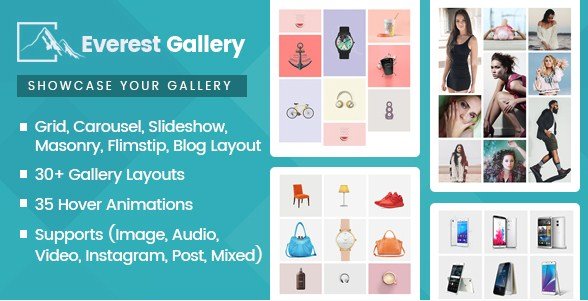
What is Everest Gallery – Responsive WordPress Gallery Plugin?
When WordPress users need a comprehensive solution to showcase multimedia content without touching a line of code, Everest Gallery – Responsive WordPress Gallery Plugin offers a versatile and feature-rich approach. As a premium plugin available on CodeCanyon, it distinguishes itself by going beyond simple image hosting. It is designed as a complete visual storytelling tool that allows you to create beautiful, responsive galleries that handle everything from high-resolution photos and audio clips to YouTube videos and Instagram feeds. Whether you are a photographer looking to display a portfolio or a blogger curating mixed content, this plugin provides the flexibility to present your work exactly how you envision it.
What Makes Everest Gallery Different
While the WordPress repository is flooded with simple gallery tools, Everest Gallery sets itself apart by focusing on variety and deep customization. Unlike many competitors that limit you to standard grids, this plugin provides over 30 distinct layouts and supports a mixed gallery approach. You aren’t just uploading photos; you are integrating posts, audio files, and social media feeds into a cohesive visual experience. The plugin’s strength lies in its specific “hover effects” and “filtering” capabilities, which allow site owners to create interactive, app-like experiences directly on their WordPress pages. For those seeking advanced styling without hiring a developer, the balance between pre-designed layouts and custom CSS options makes it a standout choice.
- Support for mixed media including Images, Audio, Video, and Instagram posts.
- 30+ unique layouts ranging from Carousel to Masonry and Filmstrip.
- Advanced customization with 35 overlay hover effects and 10 image filters.
Everest Gallery Features for WordPress Users
Comprehensive Layout System
The core of any gallery plugin is how it displays content, and Everest Gallery excels here with an impressive array of 30+ different layouts. Users are not stuck with a single grid style; instead, they can choose from Grid layouts (2 variations), Masonry layouts (2 variations), Slideshow (5 variations), Filmstrip (5 variations), Blog style (7 variations), and Carousel (10 variations). This variety ensures that you can match the gallery style to the specific tone of your website. For instance, a wedding photographer might prefer a masonry layout for a romantic, organic feel, while a corporate business might opt for a strict grid or carousel. Furthermore, the Grid and Masonry layouts include column configuration options that allow you to specify the number of columns for desktop, tablet, and mobile screens separately, ensuring your responsive design remains pixel-perfect across all devices.
Advanced Visual Effects and Filtering
Visual engagement is crucial for keeping visitors on your site, and Everest Gallery provides the tools to make your galleries interactive. The plugin includes 35 pre-designed overlay hover animations. These animations trigger when a user hovers over a gallery item, revealing details like titles, descriptions, or social icons with smooth transitions. Additionally, there are 10 pre-designed image filters (similar to Instagram filters) that can be applied to your images for a unique aesthetic. For large galleries, the filtering feature is a game-changer. Available for Masonry and Grid layouts, it includes 10 pre-designed filter layouts, allowing users to sort content by categories (e.g., “Nature