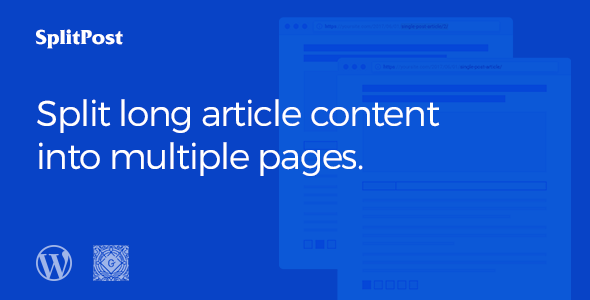
What is Epic Split Post?
Epic Split Post is a WordPress plugin designed to break down lengthy articles and posts into smaller, more digestible sections. By implementing AJAX pagination, it enhances user experience and optimizes page loading speed. This allows readers to navigate through content seamlessly without experiencing long loading times, leading to increased engagement and lower bounce rates. Epic Split Post offers a variety of customizable layout templates, providing a visually appealing and user-friendly way to present content. It supports flexible heading tags and is fully compatible with WordPress 5.0 and later versions, ensuring a smooth integration into any WordPress website.
Key Features of Epic Split Post
- 20+ Layout Templates: Choose from a wide range of pre-designed templates to match your website’s aesthetic and content style.
- 3 Page Load Types: Select the most suitable page load method for your website to optimize performance and user experience.
- Flexible Heading Tag: Customize the heading tags to maintain proper SEO structure and content hierarchy.
- WordPress 5.0+ Ready: Fully compatible with the latest versions of WordPress, ensuring seamless integration and functionality.
- AJAX Loaded Content: Load content dynamically without full page reloads, providing a smoother and faster browsing experience.
The latest version of Epic Split Post enhances the plugin’s compatibility with various themes and improves the responsiveness of its layout templates, consider optimizing your WordPress speed optimization guide, to improve website performance.
Why Choose Epic Split Post in 2024?
In 2024, user experience and page speed are more critical than ever. Epic Split Post offers a practical solution to improve both, making it a top choice for website owners looking to enhance engagement and SEO. Here’s why it’s the top choice:
- Improved User Experience: By splitting long content into manageable sections, readers can navigate more efficiently.
- Faster Page Load Times: AJAX loading reduces the amount of data loaded on each page, improving speed and performance.
- Enhanced SEO: Proper content structure and faster loading times contribute positively to search engine rankings.
- Customizable Design: With multiple layout templates, you can tailor the plugin to fit your website’s design.
- Easy to Use: The plugin comes with a user-friendly interface, making it accessible for both beginners and advanced users.
How to Download and Install Epic Split Post
1. Purchase the Plugin:
- Visit the Epic Split Post sales page on CodeCanyon.
- Purchase and download the plugin zip file.
2. Plugin Installation:
- Log in to your WordPress admin panel.
- Go to Plugins > Add New and click the “Upload Plugin” button.
3. Activate and Configure:
- Activate the Epic Split Post plugin.
- Configure the plugin settings to match your preferences and website design.
For a hassle-free setup, consider WPX Hosting from top rated reliable and managed providers, which comes with pre-install WordPress and WooCommerce with optimized performance.
Installing Epic Split Post: Step-by-Step Guide
1. Upload the Plugin File:
- Navigate to Plugins > Add New in your WordPress dashboard and upload the downloaded .zip file
- Ensure the file is the correct version and from a trusted source.
2. Activate the Plugin:
- Once uploaded, activate the plugin directly from the plugins page.
- Check for any immediate notices or setup requirements upon activation.
3. Configure Settings:
- Access the Epic Split Post settings panel to customize layouts, pagination styles, and other options.
- Refer to the plugin documentation for detailed configuration instructions and best practices.
Note: Back up your site before installing or updating plugins/themes. Regularly check for updates to ensure compatibility and security. It’s essential to implement a WordPress Security on your website.
Epic Split Post Pricing
| Component | Price | Details |
|---|---|---|
| Regular License | $29 | Use in a single end product that end users are not charged for. |
| Extended License | $149 | Use in a single end product that end users can be charged for. |
Epic Split Post Alternatives
While Epic Split Post offers robust features, here are a few alternatives to consider:
WP Pagination:
- Pros: Simple to use, free, and provides basic pagination functionality.
- Cons: Lacks advanced customization options and layout templates.
- Best For: Users needing basic pagination without extra features.
Ajax Load More:
- Pros: Implements AJAX loading for a smoother experience and offers more customization options.
- Cons: Can be more complex to set up compared to basic pagination plugins.
- Best For: Users looking for AJAX-based loading with customization options.
Easy Pagination:
- Pros: User-friendly interface and easy setup, providing quick pagination solutions.
- Cons: Limited in advanced features and layout options compared to premium plugins.
- Best For: Beginners seeking a straightforward and easy-to-use pagination plugin.
Epic Split Post vs. Other Pagination Plugins
Epic Split Post stands out from other pagination plugins due to its extensive layout options and AJAX loading capabilities, providing a more dynamic user experience.
- More Layouts: Offers a broader selection of pre-designed layout templates for different content styles.
- Better AJAX Integration: Provides smoother content loading without full page reloads, enhancing user engagement.
- Advanced Customization: Allows for more detailed customization of pagination styles and content presentation.
- Dedicated Support: Comes with dedicated support to assist with setup and troubleshooting.
Epic Split Post is ideal for websites with extensive content that want to provide a seamless browsing experience with high customization options. Before getting started, remember to review some essential WordPress SEO tips to optimize your content.
Tips for Using Epic Split Post Effectively
- Choose the Right Layout: Select a layout template that complements your website’s design and content structure.
- Optimize AJAX Settings: Configure AJAX loading settings for optimal performance and user experience.
- Customize Pagination Styles: Tailor the pagination styles to match your brand and create a cohesive look.
- Use Flexible Heading Tags: Utilize header tags to improve content hierarchy and SEO.
- Test on Different Devices: Ensure the plugin works seamlessly across various devices and screen sizes.
Pairing Epic Split Post with Gutenberg
Epic Split Post integrates seamlessly with the Gutenberg editor, allowing you to easily split your content into manageable sections directly from the WordPress block editor. By using Gutenberg blocks, you can create visually appealing and well-structured content that enhances the user experience when combined with Epic Split Post’s pagination features. This combination ensures that your content is both engaging and easy to navigate.
Should You Invest in Premium Extensions?
The core features of Epic Split Post are sufficient for basic content splitting and pagination. However, premium extensions are worth considering if you need:
- Advanced layout options beyond the standard templates.
- Enhanced customization features for pagination styles.
- Priority support for quick issue resolution.
- Integration with other premium plugins for extended functionality.
Visit the official sales page for pricing details on premium extensions and add-ons.
Conclusion
Epic Split Post is a valuable tool for anyone looking to enhance the user experience and optimize page loading times on their WordPress website. By splitting long content into manageable sections with AJAX pagination, it provides a seamless and engaging browsing experience. Download Epic Split Post today and see the difference it can make for your website!
Disclaimer: Always refer to the official CodeCanyon page for the most accurate and up-to-date information on pricing, features, and licensing.