What is Elegant Tabs for WooCommerce?
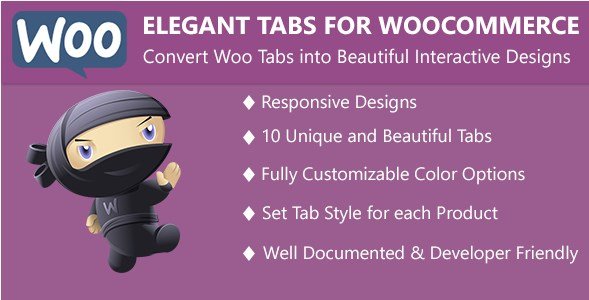
When WordPress users need to organize product information more effectively, Elegant Tabs for WooCommerce offers a powerful solution with beautiful customizable tab layouts. This premium WooCommerce extension transforms the default product tabs into visually appealing elements that improve the customer browsing experience while showcasing your products in the most professional way. With over 10 unique tab styles and mobile-responsive features, Elegant Tabs for WooCommerce helps increase conversion rates by making product information more accessible and engaging.
What Makes Elegant Tabs for WooCommerce Different
Unlike standard WooCommerce tabs that offer limited customization, Elegant Tabs for WooCommerce provides comprehensive control over both the appearance and functionality of your product tabs. This plugin goes beyond simple styling by offering innovative features like vertical tabs, hover-to-switch functionality, and smart mobile adaptations. What truly sets it apart is the perfect balance between ease of use and advanced customization options, allowing both novice and experienced store owners to create professional product page layouts without touching a single line of code.
- Transform boring default tabs into engaging visual elements with 10+ unique styles
- Create custom product tabs with rich content that showcase additional product information
- Implement mobile-responsive designs that automatically adapt to different screen sizes
Elegant Tabs for WooCommerce Features for WordPress Users
Multiple Tab Styles & Customization Options
Elegant Tabs for WooCommerce offers 10 distinct tab styles to match any store design aesthetic: Bar Style, Icon Box Style, Underline Style, Top Line Style, Falling Icon Style, Line Style, Line Box Style, Flip Style, Trapezoid Style, and Fillup Style. Each style can be further customized with the built-in icon selector featuring over 700 Font Awesome icons. You can also create justified tabs that distribute evenly across the container or implement vertical tabs for a modern, space-efficient layout. This variety ensures your product pages not only function well but also align perfectly with your brand identity.
Custom Product Tab Manager
One of the most powerful features of Elegant Tabs for WooCommerce is the Custom Product Tab Manager, which allows you to create unlimited custom tabs with any content you need. You can assign tabs globally to all products or set them up individually for specific products as needed. This flexibility is perfect for showcasing detailed product specifications, size guides, warranty information, video demonstrations, or customer testimonials. The intuitive interface makes it simple to manage tab content directly from the product editing screen, streamlining your workflow while enhancing the information available to your customers.
Mobile-Responsive Tab Adaptations
Understanding that mobile traffic accounts for over 50% of e-commerce visits, Elegant Tabs for WooCommerce includes sophisticated mobile adaptation features. You can configure tabs to automatically convert to accordions or dropdowns on mobile devices, ensuring content remains accessible without cluttering smaller screens. This thoughtful approach to responsive design significantly improves the mobile shopping experience, which is crucial considering that mobile shoppers have higher expectations for ease of navigation. These mobile adaptations not only enhance user experience but also contribute to better SEO performance, as search engines increasingly prioritize mobile-friendly designs in their rankings.
How to Install Elegant Tabs for WooCommerce
Quick Installation
- Purchase Elegant Tabs for WooCommerce from CodeCanyon
- Download the plugin ZIP file to your computer
- Go to Plugins → Add New → Upload Plugin in WordPress dashboard
- Select the downloaded ZIP file and click Install Now
- Activate the plugin and navigate to WooCommerce → Settings → Elegant Custom Tabs
For more WordPress plugin tutorials and installation guides, check out our WordPress plugin guides.
Who Should Use Elegant Tabs for WooCommerce?
eCommerce Store Owners with Complex Products
If you sell products with detailed specifications, multiple variations, or require extensive documentation (electronics, technical equipment, specialty items), Elegant Tabs for WooCommerce is essential for organizing this information without overwhelming customers. The ability to create custom tabs means you can present technical details, user manuals, compatibility information, and FAQs in a structured, digestible format. This organization helps customers find the specific information they need to make purchase decisions, reducing hesitation and potentially decreasing returns caused by misunderstandings about product features.
Fashion and Apparel Retailers
Fashion retailers benefit significantly from Elegant Tabs for WooCommerce by creating dedicated tabs for size guides, material information, care instructions, and customer reviews. The plugin’s ability to incorporate visually appealing icons and stylish tabs complements the aesthetic nature of fashion sites, while the mobile-responsive features ensure that mobile shoppers—particularly important in the fashion industry—have a seamless browsing experience. By organizing product information logically, you can address common customer questions directly on the product page, reducing the need for customer service inquiries and improving the overall shopping experience.
Elegant Tabs for WooCommerce vs Alternatives
| Feature | Elegant Tabs for WooCommerce | YITH WooCommerce Tab Manager |
|---|---|---|
| Tab Styles | 10+ unique styles with vertical option | Basic tab customization |
| Mobile Responsiveness | Converts to accordions/dropdowns | Basic responsive design |
| Icon Integration | 700+ Font Awesome icons | Limited icon options |
| Global & Individual Settings | Comprehensive global and per-product control | Basic tab management |
| Hover Switch Option | Yes | No |
For comparison with other WooCommerce optimization plugins, see our WooCommerce plugin comparisons.
Elegant Tabs for WooCommerce Pricing
Elegant Tabs for WooCommerce is available through CodeCanyon for a one-time purchase of $25, which includes 6 months of support from the developers. For an additional $7.63, you can extend support to 12 months. This premium pricing model provides excellent value considering the extensive features and regular updates the plugin receives. The plugin works with WordPress 4.0 and above and WooCommerce 2.6.0 and above, ensuring compatibility with most modern WordPress installations. There are no recurring fees or premium tiers—a single purchase gives you access to all features and future updates.
Pros and Cons
✅ Pros
- Impressive variety of 10+ unique tab styles to match any store design
- Excellent mobile responsiveness with accordion and dropdown conversion options
- Comprehensive customization with 700+ icons and global/per-product settings
❌ Cons
- Premium-only plugin with no free version available for testing
- Documentation could be more comprehensive for advanced features
- Limited integration with popular page builders compared to some competitors
Frequently Asked Questions
Can I create different tab styles for different products?
Yes, Elegant Tabs for WooCommerce allows you to set global settings for all products or override these settings on individual product pages, giving you complete flexibility to create different tab styles for specific products when needed.
Does this plugin work with all WordPress themes?
Elegant Tabs for WooCommerce is designed to work with most standard WordPress themes. However, some themes with heavily customized WooCommerce templates may require minor CSS adjustments for optimal display.
Can I add video content to custom tabs?
Absolutely! The custom product tab manager supports various content types including text, images, HTML, and embedded videos from platforms like YouTube or Vimeo, making it perfect for product demonstrations.
Will this plugin slow down my website?
Elegant Tabs for WooCommerce is built with performance in mind and uses lightweight code that shouldn’t significantly impact page load times. The plugin loads scripts only when necessary to minimize any performance impact.
Is there a limit to the number of custom tabs I can create?
No, there is no limit to the number of custom tabs you can create with Elegant Tabs for WooCommerce. You can add as many tabs as needed to effectively present all your product information.
Can I import/export custom tabs between products?
While the plugin doesn’t have a direct import/export feature specifically for tabs, you can copy products in WordPress, which will duplicate the tab configuration, making it easier to maintain consistency across similar products.
Final Verdict
Elegant Tabs for WooCommerce is a powerful and feature-rich plugin that delivers on its promise to transform standard WooCommerce tabs into visually appealing, functional elements. Its extensive customization options, thoughtful mobile adaptations, and user-friendly interface make it an excellent investment for store owners looking to improve their product page presentation. While the lack of a free version might deter some users initially, the $25 price point offers excellent value for the features provided. It’s particularly well-suited for stores with complex products requiring detailed information presentation or fashion retailers who need to showcase size guides and care instructions. For WordPress users serious about optimizing their WooCommerce product pages for better user experience and potentially higher conversion rates, Elegant Tabs for WooCommerce is a worthwhile addition to their plugin toolkit. For more WooCommerce enhancement tools, check out our WooCommerce plugins collection.