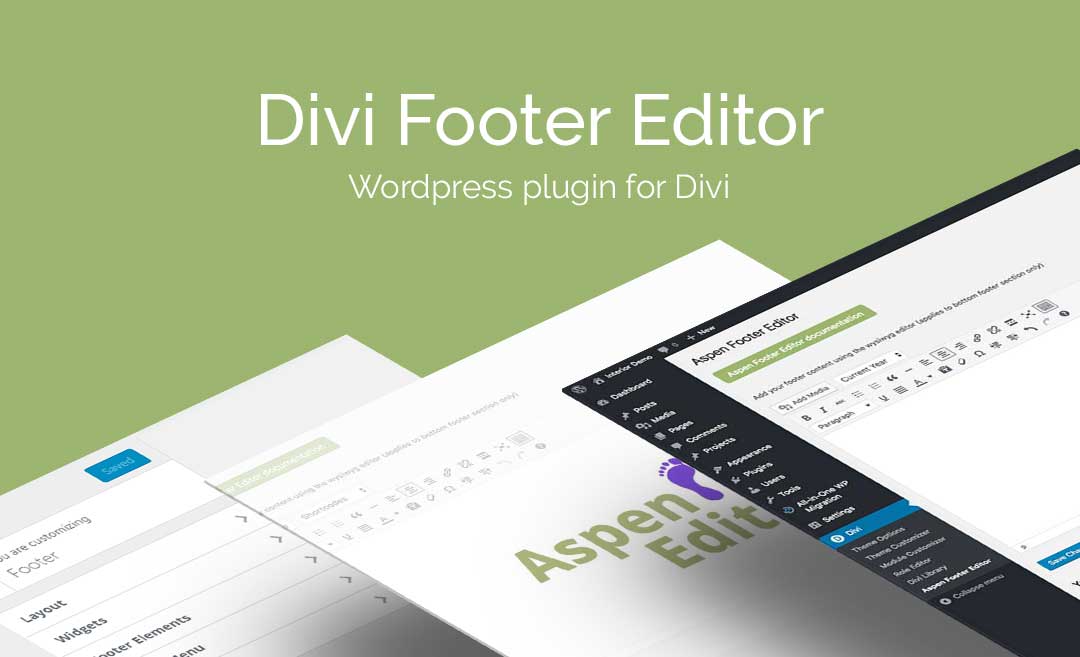
Divi Footer Editor is an ultra-lightweight WordPress plugin designed for styling eye-catching, site-wide footer sections on websites using the Divi or Extra themes. It replaces the default footer credits with a flexible editing interface that requires no coding skills. This tool effectively simplifies the process of branding your site’s bottom bar with custom text, images, and dynamic data.
WPExclusive members get access to Footer Editor as part of a full plugin and theme library, with plans starting from $9.99/month. See the full Divi Space collection →
What Is Divi Footer Editor?
Divi Footer Editor is developed by Divi Space and is an extensions plugin for WordPress specifically optimized for the Divi ecosystem. It belongs to the extensions category on WPExclusive, alongside other tools for site customization and design enhancement.
The plugin solves the common frustration of being unable to easily modify the default “Designed by Elegant Themes” footer credits without complex CSS or child theme edits. It is built for designers and site owners who want a professional, branded footer area that assists visitor navigation and reinforces brand identity.
Divi Footer Editor Features
The core feature set of Footer Editor is built around a familiar editing interface that allows for deep customization without technical overhead.
WYSIWYG Editing Console
The plugin provides a What-You-See-Is-What-You-Get editor that mimics the standard WordPress classic editor. This allows users to style text, change colors, and manage layouts for the site-wide footer section visually. Users can also enter the code view to add custom HTML or additional CSS if specialized styling is required for unique brand requirements.
Rich Media and Shortcode Support
Beyond simple text changes, the plugin supports the embedding of images and videos directly into the bottom footer bar. It also includes shortcode support for dynamic dating, ensuring your copyright year stays current automatically. This makes Footer Editor a versatile choice for adding contact details, social links, or small promotional banners to the design of your site.
Lightweight Performance
This plugin is designed to be ultra-lightweight, meaning it does not bloat your site’s loading speed or introduce unnecessary scripts. It serves as a targeted solution for a specific design need, making it an efficient alternative to heavy theme builders for simple footer modifications across Divi and Extra themes.
Pricing
Check current pricing on the Footer Editor sales page, or access it as part of your membership. Retail options include various site limits and annual billing.
| Plan | Price | Sites | Includes |
|---|---|---|---|
| Single Site | $10.00 | 1 Site | Annual Updates |
| 3 Sites | $19.00 | 3 Sites | Annual Updates |
| Unlimited Sites | $39.00 | Unlimited | Annual Updates |
| WPExclusive Membership | From $9.99/month | Unlimited | Footer Editor + full library |
For developers managing multiple sites, a WPExclusive membership covers Footer Editor plus hundreds of other plugins and themes, usually for less than the cost of one premium license.
Latest Version
The plugin receives regular updates to ensure compatibility with Divi 4 and the upcoming Divi 5 release. WPExclusive updates plugin files promptly after each developer release to maintain security and stability.
How to Install
- Download the Footer Editor .zip from your WPExclusive member account
- In WordPress: Plugins → Add New → Upload Plugin
- Select the .zip and click Install Now → Activate
- Navigate to the plugin settings menu (typically under Divi or a dedicated menu) to access the WYSIWYG editor.
Use Cases
Whitelabeling Client Sites
Agencies can use the plugin to quickly remove theme-specific branding and replace it with their own agency credits or the client’s business information in the extensions category.
Adding Dynamic Copyright Notices
Website owners can implement shortcodes to ensure the copyright year in the footer updates automatically every January, reducing manual maintenance tasks.
Agencies and Developers Managing Multiple Client Sites
Using a WPExclusive membership allows developers to deploy Footer Editor across an unlimited number of client builds without purchasing individual $10 licenses for every minor project.
Pros and Cons
✅ Strengths
- Simple WYSIWYG interface that mimics the classic WordPress editor.
- Ultra-lightweight footprint that does not impact site performance.
- Eliminates the need for child themes or custom CSS to edit footer credits.
⚠️ Limitations
- Exclusive to Divi and Extra themes; not compatible with other WordPress themes.
- Focused specifically on the bottom bar rather than building entire complex footer structures.
- Developer auto-updates require an active license key. WPExclusive publishes updates manually when new versions are released.
Is Divi Footer Editor GPL Licensed?
Yes. Divi Footer Editor is distributed under the GNU General Public License (GPL), the same license that governs WordPress itself. GPL gives any user the legal right to use, study, share, and redistribute the software. This is the legal framework that makes WPExclusive’s membership model possible.
WPExclusive distributes 100% original, unmodified files, which are the same releases the developer publishes. No injected code, no alterations, and no security risks are present in our downloads.
Get Divi Footer Editor on WPExclusive
WPExclusive membership starts at $9.99/month, $87/year, or $149 lifetime, giving you Divi Footer Editor plus every plugin and theme in the library, on unlimited sites.
Explore the full Divi Space collection → or browse all WordPress plugins →
Frequently Asked Questions
What does Divi Footer Editor do?
Divi Footer Editor is a specialized extension used to modify the bottom footer credits on Divi and Extra themes. It allows users to design a footer with custom text, images, and shortcodes through a visual editor.
Is Divi Footer Editor free?
This is a premium-only plugin. While there is no official free version, you can access it via a WPExclusive membership for $9.99/month, which includes unlimited site usage.
What is the latest version of Divi Footer Editor?
The plugin is actively maintained to support Divi 4 and Divi 5. WPExclusive members always receive the most current release as soon as it is uploaded to our repository.
How much does Divi Footer Editor cost?
Retail licenses start at $10.00 per year for a single site. Via WPExclusive, it is included in plans from $9.99/month for unlimited sites.
Is it legal to use Divi Footer Editor via WPExclusive?
The plugin is GPL licensed, which explicitly permits redistribution. WPExclusive provides original, unmodified files, fully within GPL terms for legal use and redistribution.
Does Footer Editor work with the Divi Theme Builder?
Footer Editor is primarily designed to edit the default bottom bar credits. For more complex structural changes, it is often used alongside the Divi Theme Builder, but it specifically excels at whitelabeling the default footer bar without CSS.


.png "Bookly Special Hours (Add-on)")