What is Divi Essential WordPress Plugin?
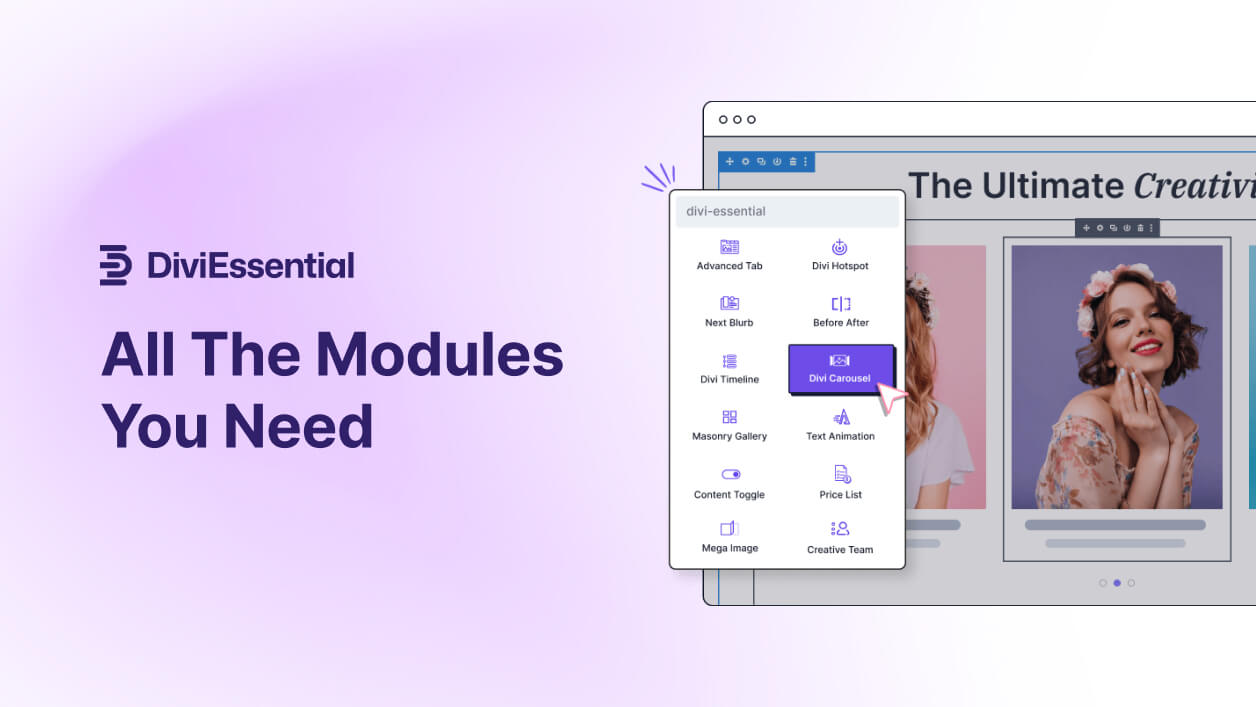
Divi Essential WordPress Plugin is a comprehensive extension designed specifically for the Divi theme, one of WordPress’s most popular page builders. This plugin revolutionizes website design by providing users with an extensive collection of over 64 modules, 10+ extensions, and more than 650 layouts, making it easier to create dynamic, modern websites without extensive coding knowledge. Its significance lies in its ability to bridge the gap between basic Divi functionality and advanced customization needs, catering to bloggers, businesses, and agencies alike. For instance, if you’re building an e-commerce site, Divi Essential offers modules like carousels and sliders that can showcase products engagingly, improving user experience and potentially boosting conversions. According to data from authoritative sources like WordPress.org, plugins like Divi Essential are essential for enhancing Divi’s core features, allowing for faster development and more visually appealing results. This plugin integrates seamlessly with Divi, offering tools for everything from animated elements to social media integrations, which is why it’s a go-to choice for users seeking to elevate their web projects. For more on Divi integration, check out internal resources at wordpress-1613757-6351696.cloudwaysapps.com/best-wordpress-plugins or explore external insights from Elegant Themes’ official blog.
Key Features of Divi Essential WordPress Plugin
- Divi Essential boasts over 64 modules, including animated elements like 3D Cube Slider and Text Animation, which add interactive flair to pages, enhancing user engagement.
- It includes 10+ extensions such as Popup Pro for conversion optimization and Widget Library for versatile content display, allowing users to customize websites without third-party tools.
- The plugin offers more than 650 section layouts and 40+ starter templates, streamlining the design process for various industries like e-commerce and portfolios.
- Features like optimized module loading ensure lightweight performance, while unique tools like Image Hover Effects and Lottie animations provide creative flexibility.
- The latest version, as per the documentation, includes enhancements for Divi 5 compatibility, with updates for better speed and new modules like Extended File Format Support for broader media handling.
The latest version of Divi Essential WordPress Plugin, continually updated based on user feedback, introduces improved compatibility with Divi 5, offering faster loading times and new features like advanced tabbing and hotspot interactions. This version emphasizes user-friendly updates that enhance SEO through better schema integration and responsive design, making it ideal for modern web standards. For detailed comparisons, visit wordpress-1613757-6351696.cloudwaysapps.com/divi-themes-guide for internal insights, and refer to external resources like Kinsta’s plugin recommendations for broader context.
How to Download Divi Essential WordPress Plugin for Free
1. Visit the Official Site:
- Go to the sales page at diviessential.com and navigate to the download section.
- Ensure you have a WordPress site ready, as this plugin requires the Divi theme for optimal functionality.
2. Check for Free Trials:
- Look for any free trial offers or demo versions available on the site; sign up with your email to access basic modules.
- Review the documentation page for installation prerequisites to avoid compatibility issues.
3. Download and Prepare:
- Download the ZIP file directly from the site and verify its integrity before uploading to your WordPress dashboard.
- For a hassle-free setup, consider WPX Hosting from top-rated reliable providers, which comes with pre-installed WordPress and optimized performance.
Installing Divi Essential WordPress Plugin: Step-by-Step Guide
1. Upload the Plugin:
- Log into your WordPress admin dashboard and go to Plugins > Add New, then upload the ZIP file you downloaded.
- Activate the plugin after upload, ensuring your Divi theme is active to prevent errors.
2. Configure Settings:
- Navigate to Divi > Divi Essential in your dashboard to configure modules and extensions as needed.
- Customize layouts using the Visual Builder for immediate previews.
3. Test and Optimize:
- Test the plugin on a staging site first to ensure compatibility, then go live.
- Note: Back up your site before installing or updating plugins. Use Divi Essential WordPress Plugin’s built-in tools if prompted after an update.
Divi Essential WordPress Plugin Pricing
| Component | Price | Details |
|---|---|---|
| Single Site License | $49/Year | Includes access to all modules and updates for one site, ideal for individuals. |
| Unlimited Sites License | $79/Year | Unlimited access with priority support, best for agencies managing multiple sites. |
| Lifetime Access | $199/One Time | Lifetime updates and support for unlimited sites, offering long-term value. |
Divi Essential WordPress Plugin Alternatives
Elementor Pro:
- Pros: Offers intuitive drag-and-drop editing with a vast library of widgets, making it highly user-friendly.
- Cons: Can be resource-intensive, potentially slowing down sites compared to Divi Essential.
- Best For: Users seeking a standalone page builder outside of Divi.
Beaver Builder:
- Pros: Lightweight and fast, with excellent responsive design tools.
- Cons: Lacks the extensive module variety found in Divi Essential.
- Best For: Beginners prioritizing speed and simplicity.
WP Bakery Page Builder:
- Pros: Provides a wide range of shortcodes and elements for complex layouts.
- Cons: Older interface may feel less modern than Divi Essential.
- Best For: Users with existing sites needing quick enhancements.
Divi Essential WordPress Plugin vs. Other Plugins
Divi Essential WordPress Plugin stands out compared to competitors like Elementor or Beaver Builder due to its tailored integration with Divi, offering more specialized modules for enhanced creativity.
- Affordability: Provides more features at a lower entry cost than many premium alternatives.
- Flexibility: Superior customization options for Divi users, with modules that allow infinite designs.
- Compatibility: Seamlessly works with Divi 5, ensuring future-proofing not always found in older plugins.
- Support: Includes world-class support and regular updates, surpassing some competitors’ offerings.
For additional setup requirements, refer to wordpress-1613757-6351696.cloudwaysapps.com/wordpress-seo-guide for internal tips, and external advice from Google’s SEO guidelines.
Tips for Using Divi Essential WordPress Plugin Effectively
- Use optimized module loading to keep your site fast and improve SEO rankings.
- Experiment with animated modules for better user engagement, but test on mobile for responsiveness.
- Combine extensions like Popup Pro with WooCommerce for higher conversion rates.
- Regularly update the plugin to access new features and security patches.
- Backup your site before major customizations to avoid data loss.
Pairing Divi Essential WordPress Plugin with Complementary Tools
Divi Essential pairs excellently with WooCommerce, enhancing e-commerce sites by adding carousels and custom layouts that boost product visibility and sales. This combination benefits users by streamlining checkout processes and improving site aesthetics, as detailed in external resources like WooCommerce’s official site.
Should You Invest in Premium Extensions?
The free aspects of Divi Essential WordPress Plugin are sufficient for basic use, but premium extensions are worth considering if you need advanced functionality like enhanced animations or extensive layout packs.
- Advanced interactivity for dynamic user experiences.
- Seamless social media integrations for better engagement.
- Customizable templates for professional branding.
- Prioritized support for quicker issue resolution.
Visit the official site for pricing details and more information.
Frequently Asked Questions
How do I install Divi Essential WordPress Plugin?
Installation involves downloading from the official site, uploading via your WordPress dashboard, and activating it with Divi theme active for full functionality.
Is Divi Essential compatible with Divi 5?
Yes, it’s fully compatible and optimized for Divi 5, offering enhanced features and performance improvements.
What modules are included in Divi Essential?
It includes over 64 modules like sliders, animations, and social media tools to expand your design options.
Does it improve site speed?
Absolutely, with optimized loading and lightweight code, it helps maintain fast load times for better SEO.
How much does it cost?
Pricing starts at $49 per year for a single site, with options for unlimited access and lifetime plans.
Can I use it with other page builders?
It’s designed specifically for Divi, so for best results, pair it within the Divi ecosystem.
Conclusion
In summary, Divi Essential WordPress Plugin is an invaluable tool for anyone using the Divi theme, offering extensive modules and layouts that enhance creativity and efficiency. By downloading and using it, you’ll unlock endless design possibilities while improving your site’s performance and SEO. Don’t miss out on its benefits—start today!
Disclaimer: Always use official sources and check for updated pricing and features.