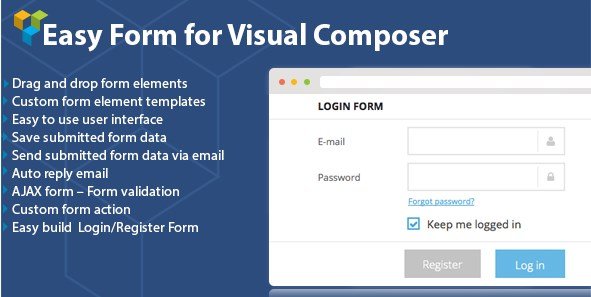
What is DHVC Form – WordPress Form for Visual Composer?
When WordPress users need a robust yet code-free solution to build complex web forms, DHVC Form – WordPress Form for Visual Composer offers a seamless integration with the popular WPBakery Page Builder. Whether you are a seasoned developer or a site owner just starting out, the need for functional forms like registration pages, booking systems, or simple contact modules is universal. However, traditional form builders often disconnect the design process from the content layout, forcing you to switch between different interfaces. This plugin eliminates that friction by embedding a powerful form manager directly into your Visual Composer environment. Literally within minutes, you can build complex forms such as a Booking form or just a simple Contact form or Login/Register form with drag-and-drop form elements without touching a single line of code. It bridges the gap between aesthetic design and functional data collection, ensuring your forms look as good as they perform.
What Makes DHVC Form Different
Unlike standalone plugins that operate in a siloed dashboard, DHVC Form is built natively for WPBakery Page Builder. Its unique selling proposition lies in its visual approach; you design your form alongside your page content, seeing exactly how the form elements fit within your layout in real-time. It doesn’t just add a form; it enhances the page building experience by offering specialized functionalities like multi-step forms, conditional logic, and direct WooCommerce user form customization, all without needing shortcodes or third-party integrations to make it look right.
- Native integration with WPBakery Page Builder for real-time design
- Zero coding required for complex logic and multi-step workflows
- Direct support for WooCommerce user authentication forms
DHVC Form Features for WordPress Users
Advanced Form Building Capabilities
The core strength of DHVC Form – WordPress Form for Visual Composer is its intuitive drag-and-drop interface. You are not limited to basic text inputs; the plugin supports a wide array of form elements that can be customized to fit any data collection need. A standout feature is the Conditional Logic capability, which allows you to show or hide specific fields based on user interactions. This is crucial for keeping forms user-friendly and reducing bounce rates. Furthermore, for longer data entry processes, the Multi-step forms support allows you to break complex inquiries into digestible chunks, improving the user experience significantly. The forms are also 100% responsive and mobile-ready, ensuring that visitors on smartphones or tablets have the same smooth experience as desktop users. You can also customize unlimited colors to match your brand identity perfectly without writing CSS.
E-commerce and Payment Integration
For businesses looking to monetize their forms, DHVC Form goes beyond simple data collection by offering checkout with PayPal. This feature effectively turns your form into a simple e-commerce solution, allowing you to accept payments for services, bookings, or products directly through the form interface. Additionally, the plugin offers deep integration with WooCommerce. It allows you to create custom Login, Register, and Lost password forms specifically for WooCommerce, replacing the often rigid default WooCommerce forms with designs that match your site’s theme. This level of integration is invaluable for store owners who want to maintain a consistent brand experience throughout the customer journey. If you are looking for more tools to enhance your store, check out our collection of essential WooCommerce extensions.
Data Management and Marketing Automation
Once data is collected, managing it efficiently is key. DHVC Form allows you to view submitted form entries directly inside the WordPress admin dashboard, providing a quick overview of lead generation. For those needing to analyze data offline, the plugin supports exporting form submissions to .CSV files. Communication is automated through robust email features; you can send submitted form data via email to administrators and utilize the Autoreply email function to acknowledge user submissions instantly. The plugin also supports SMTP, TLS, and custom ports to ensure emails are delivered reliably. To help grow your audience, it integrates with popular newsletter services, supporting myMail Newsletters and MailPoet Newsletters, allowing you to sync subscribers directly from your forms. Security is also prioritized with support for reCaptcha 2, protecting your site from spam bots. For more ways to capture leads, explore our list of the best WordPress form plugins.
How to Install DHVC Form
Quick Installation
- Log in to your WordPress dashboard and navigate to Plugins → Add New.
- Click the “Upload Plugin” button at the top of the page.
- Select the plugin ZIP file you downloaded from CodeCanyon and click Install Now.
- Once installed, click “Activate Plugin”.
- Ensure you have WPBakery Page Builder installed and activated, as DHVC Form requires it to function.
Who Should Use DHVC Form?
WPBakery Page Builder Devotees
If your workflow relies heavily on WPBakery for designing pages, adding a form builder that requires a separate interface can disrupt your momentum. This user type will benefit immensely from DHVC Form because it places form creation directly within the familiar Visual Composer backend or frontend editor. It allows for a seamless design process where form styles can be tweaked to match page layouts instantly without guessing how shortcodes will render.
Service-Based Businesses and Booking Agencies
Businesses that require detailed client information, such as travel agencies, consultancy firms, or appointment-based services, need more than just a “Name” and “Email” field. The ability to create multi-step booking forms with conditional logic and even accept deposits via PayPal makes this plugin ideal for service providers. It simplifies the intake process, ensuring that businesses collect all necessary data upfront while securing payment.
DHVC Form vs Alternatives
| Feature | DHVC Form | Gravity Forms |
|---|---|---|
| Editor Interface | Native Visual Composer (Drag & Drop) | Stand-alone Form Builder |
| Dependency | Requires WPBakery | Standalone Plugin |
| WooCommerce Forms | Native Custom Login/Register Forms | Requires Add-ons |
| Pricing | One-time Fee (Envato) | Annual Licensing |
DHVC Form Pricing
Since DHVC Form – WordPress Form for Visual Composer is available exclusively on CodeCanyon, it follows a standard Envato licensing model. Users can typically purchase a Regular License for a one-time fee, which allows use on a single end product. This is often more cost-effective for single-site owners compared to subscription-based form builders that require annual payments. Extended licenses are also available for developers wishing to use the plugin in client projects or SaaS applications. Always check the CodeCanyon page for the most current pricing and potential offers.
Pros and Cons
✅ Pros
- Seamless integration with WPBakery Page Builder interface
- Includes advanced features like conditional logic and multi-step forms
- Built-in PayPal checkout functionality without needing expensive add-ons
- Specialized forms for WooCommerce (Login/Register)
- One-time purchase cost compared to recurring subscriptions
❌ Cons
- Completely dependent on having WPBakery installed; useless without it
- Smaller community and third-party add-on ecosystem compared to giants like Gravity Forms
- Support relies on Envato/CodeCanyon comment system, which can be slower than dedicated support teams
Frequently Asked Questions
Can I use DHVC Form without WPBakery Page Builder?
No, this plugin is specifically designed as an add-on for WPBakery Page Builder (formerly Visual Composer). It requires the parent plugin to be installed and activated to function correctly.
Does this plugin support file uploads in forms?
Yes, DHVC Form supports various form elements including file uploads, allowing users to submit documents, images, or other files through your forms directly to your WordPress dashboard.
Is it possible to collect payments through the forms?
Absolutely. One of the standout features of the plugin is the support for checkout with PayPal. You can easily create payment forms, order forms, or service booking forms that process payments securely.
Can I customize the WooCommerce login form with this plugin?
Yes, DHVC Form allows you to create custom Login, Register, and Lost password forms specifically for WooCommerce. This helps you maintain design consistency across your store and improve the user registration experience.
How do I view the data submitted by users?
You can view all submitted form entries directly inside the WordPress admin panel. Additionally, the plugin supports exporting form submissions to .CSV files, making it easy to back up data or analyze it in spreadsheet software.
Does DHVC Form work with email marketing tools?
Yes, the plugin integrates with popular newsletter services. It specifically supports myMail Newsletters and MailPoet Newsletters, allowing you to automatically add users who fill out your forms to your email lists.