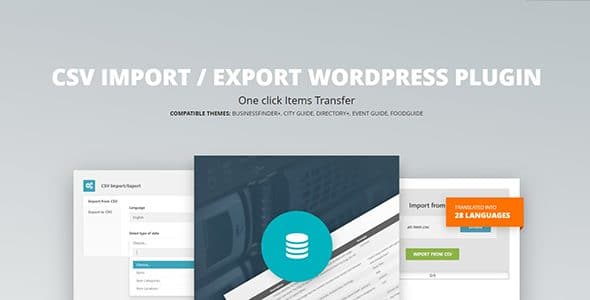
What is CSV Import Export WordPress Plugin?
When WordPress users need to manage large amounts of directory data efficiently, the CSV Import Export WordPress Plugin offers a streamlined solution for bulk data transfer. This specialized tool is designed to help directory website owners quickly import and export their directory items, categories, and location data through CSV files, making it an essential CSV Import Export WordPress Plugin for anyone managing extensive directory listings.
What Makes CSV Import Export WordPress Plugin Different
Unlike generic CSV import tools, this plugin is specifically optimized for directory themes and understands the unique structure of directory data. It provides seamless integration with AitThemes’ directory solutions while maintaining compatibility with standard spreadsheet applications like Microsoft Excel and Apple Numbers.
- Directory-specific data structure recognition
- Automatic sample CSV generation for your theme
- Bulk processing capabilities for large datasets
CSV Import Export WordPress Plugin Features for WordPress Users
Smart Data Import Capabilities
The plugin excels at importing bulk data from CSV files directly into your directory theme. It intelligently maps CSV columns to appropriate WordPress fields, supporting directory items, item categories, and location data. The automatic sample CSV generation feature ensures you always have the correct template for your specific theme configuration.
Flexible Export Functionality
Export your directory data seamlessly in CSV format for local editing, backup purposes, or data analysis. The plugin maintains data integrity during export, ensuring all your directory information remains intact when opened in spreadsheet applications. This feature is particularly valuable for website migrations and creating offline backups.
Theme-Specific Optimization
Built specifically for directory themes, the plugin automatically adapts to your current theme’s data structure. It generates sample CSV files that match your theme’s requirements, eliminating guesswork and reducing import errors. This specialized approach ensures maximum compatibility and reliability.
How to Install CSV Import Export WordPress Plugin
Quick Installation
- Download the plugin from AitThemes
- Go to Plugins → Add New in WordPress dashboard
- Click Upload Plugin → Choose File
- Select the downloaded ZIP file and install
- Activate the plugin
Who Should Use CSV Import Export WordPress Plugin?
Directory Website Owners
Perfect for business directories, real estate listings, restaurant guides, or any website managing large collections of structured data. The plugin enables quick population of new directory sites and efficient management of existing listings through bulk operations.
WordPress Developers & Agencies
Essential tool for developers building directory websites for clients who need to migrate existing data from other systems. The plugin streamlines the data migration process, saving hours of manual data entry and reducing the risk of human error.
CSV Import Export WordPress Plugin vs Alternatives
| Feature | CSV Import Export WordPress Plugin | WP All Import |
|---|---|---|
| Directory Theme Integration | Native support with automatic templates | Manual configuration required |
| Sample CSV Generation | Automatic theme-specific templates | Manual template creation |
| Learning Curve | Minimal – designed for directory data | Steep – complex for beginners |
CSV Import Export WordPress Plugin Pricing
The plugin is available as part of the AitThemes membership program, which includes access to all CitadelaWP plugins and themes. Pricing tiers are designed to accommodate different needs, from individual website owners to agencies managing multiple client sites. Visit the pricing page for detailed information about available plans.
Pros and Cons
✅ Pros
- Specialized for directory themes with perfect compatibility
- Automatic sample CSV generation eliminates setup complexity
- Streamlined interface designed specifically for directory data
- Reliable bulk processing for large datasets
- Integration with popular spreadsheet applications
❌ Cons
- Limited to directory themes – not suitable for general WordPress content
- Requires AitThemes membership for access
- May have limitations with extremely large file sizes
Frequently Asked Questions
Can I use this plugin with non-directory themes?
This plugin is specifically designed for directory themes and may not work correctly with standard WordPress themes or other content types.
Can I export only specific categories of directory items?
Yes, the plugin provides filtering options to export specific data subsets based on your requirements.
Is technical support included?
Yes, AitThemes provides comprehensive documentation and technical support for all plugin users through their support system.
Does it work with custom fields in my directory theme?
The plugin automatically detects and supports custom fields specific to your directory theme configuration.
Final Verdict
The CSV Import Export WordPress Plugin is an essential tool for anyone managing directory websites built with AitThemes. Its specialized approach to directory data management, combined with automatic template generation and reliable bulk processing, makes it the ideal solution for directory website owners and developers. While it may have limitations for general WordPress use cases, it excels in its niche and provides significant value for its target audience. For comprehensive WordPress data management solutions, check out WordPress.org plugins directory for additional options.
Can I export only specific categories of directory items?
Yes, the plugin provides filtering options to export specific data subsets based on your requirements.
Is technical support included?
Yes, AitThemes provides comprehensive documentation and technical support for all plugin users through their support system.
Does it work with custom fields in my directory theme?
The plugin automatically detects and supports custom fields specific to your directory theme configuration.
Final Verdict
The CSV Import Export WordPress Plugin is an essential tool for anyone managing directory websites built with AitThemes. Its specialized approach to directory data management, combined with automatic template generation and reliable bulk processing, makes it the ideal solution for directory website owners and developers. While it may have limitations for general WordPress use cases, it excels in its niche and provides significant value for its target audience. For comprehensive WordPress data management solutions, check out WordPress.org plugins directory for additional options.
What’s the maximum file size I can import?
File size limits depend on your server configuration, but the plugin is optimized to handle typical directory datasets efficiently.
Does the plugin support scheduled imports?
The current version focuses on manual import/export operations. Check with WordPress plugin alternatives for automated solutions.
Can I export only specific categories of directory items?
Yes, the plugin provides filtering options to export specific data subsets based on your requirements.
Is technical support included?
Yes, AitThemes provides comprehensive documentation and technical support for all plugin users through their support system.
Does it work with custom fields in my directory theme?
The plugin automatically detects and supports custom fields specific to your directory theme configuration.
Final Verdict
The CSV Import Export WordPress Plugin is an essential tool for anyone managing directory websites built with AitThemes. Its specialized approach to directory data management, combined with automatic template generation and reliable bulk processing, makes it the ideal solution for directory website owners and developers. While it may have limitations for general WordPress use cases, it excels in its niche and provides significant value for its target audience. For comprehensive WordPress data management solutions, check out WordPress.org plugins directory for additional options.