What is Booknetic Custom Forms Addon?
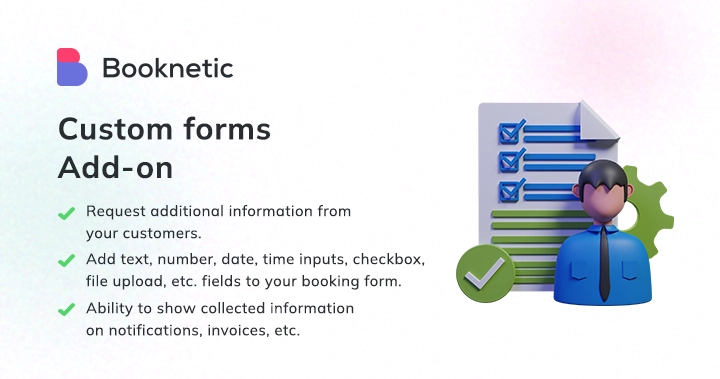
When WordPress users need to collect specific customer information during the booking process, Booknetic Custom Forms Addon offers a powerful form-building solution that integrates seamlessly with your appointment booking system. This addon transforms your standard booking process into a comprehensive data collection tool without requiring any coding knowledge or third-party form plugins.
What Makes Booknetic Custom Forms Addon Different
Booknetic Custom Forms Addon stands out as a specialized form-building solution designed specifically for appointment-based businesses. Unlike generic form builders, this addon is deeply integrated with the Booknetic booking ecosystem, allowing you to collect, process, and utilize customer information throughout your entire booking workflow.
- Native integration with Booknetic’s booking system
- Advanced conditional logic capabilities
- 14 different field types including file uploads
Booknetic Custom Forms Addon Features for WordPress Users
Comprehensive Field Types
The addon provides 14 different input types to collect any information you need from customers. From basic text inputs and text areas for detailed information to specialized fields like date pickers, time selectors, and file upload capabilities. You can add email and phone fields that automatically integrate with notification systems, link fields for social media profiles, and even simple label fields for instructional text. This variety ensures you can create forms tailored to your specific business requirements.
Advanced Conditional Logic
The conditional fields feature in Booknetic Custom Forms Addon goes beyond basic show/hide functionality. You can create complex logic chains where fields appear, disappear, or even have values set based on user responses. The system supports multiple conditions with AND/OR logic, allowing you to create sophisticated form experiences. For example, you can show specific service-related questions only when a customer selects particular services, or display additional information fields based on customer preferences.
Seamless Integration & Workflow Automation
Custom form data integrates throughout the Booknetic ecosystem using dynamic keywords. You can include form responses in email notifications, invoices, Google Calendar events, and WooCommerce order descriptions. The addon supports automatic notifications to additional email addresses and phone numbers collected through custom forms. File uploads can be attached to notifications, and form data can be used in workflow automation using shortcodes like {appointment_custom_field_ID}.
How to Install Booknetic Custom Forms Addon
Quick Installation
- Ensure you have the main Booknetic plugin installed and activated
- Navigate to Booknetic → Boostore in your WordPress dashboard
- Find Custom Forms Addon and click “Add to Cart”
- Complete the purchase and install the addon
Who Should Use Booknetic Custom Forms Addon?
Healthcare Providers
Medical practices can collect patient information, insurance details, medical history, and consent forms before appointments. The file upload feature allows patients to submit insurance cards or medical documents, while conditional logic can show different questions based on appointment types (new patient vs. follow-up).
Service-Based Businesses
Consultants, lawyers, and financial advisors can gather client-specific information, document requirements, and preliminary details through custom forms. The ability to create admin-only fields allows staff to add internal notes or process information that customers shouldn’t see.
Booknetic Custom Forms Addon vs Alternatives
| Feature | Booknetic Custom Forms Addon | Gravity Forms |
|---|---|---|
| Booking Integration | Native deep integration | Requires manual setup |
| Conditional Logic | Advanced with multiple conditions | Basic conditional logic |
| Price | $39 one-time | $59/year minimum |
Booknetic Custom Forms Addon Pricing
The Custom Forms Addon is available for a one-time payment of $39, making it an affordable solution for businesses looking to enhance their booking process. This price includes lifetime updates and access to all form field types and conditional logic features. You’ll need the main Booknetic plugin to use this addon.
Pros and Cons
✅ Pros
- Deep integration with Booknetic booking system
- Advanced conditional logic capabilities
- 14 different field types including file uploads
❌ Cons
- Requires main Booknetic plugin to function
- Limited to Booknetic ecosystem
- Learning curve for complex conditional logic
Frequently Asked Questions
Can I use Booknetic Custom Forms Addon without the main plugin?
No, this is an addon that requires the main Booknetic Appointment Booking Plugin to function properly.
Does the addon support file uploads?
Yes, the File field type allows customers to upload documents, images, and other files during the booking process.
Can I create forms that only staff can see?
Yes, you can set form visibility to “admin panel only” for fields that staff should fill but customers shouldn’t see.
How does conditional logic work in Booknetic Custom Forms?
You can set conditions to show/hide fields based on user responses, with support for multiple conditions and complex logic chains.
Can form data be used in email notifications?
Yes, you can use dynamic keywords to include form data in notifications, invoices, and other communications.
Is there a limit to the number of forms I can create?
No, you can create multiple custom forms and use them simultaneously for different services or scenarios.
Final Verdict
Booknetic Custom Forms Addon is an excellent investment for businesses already using Booknetic for appointment booking. The addon’s deep integration with the booking system, advanced conditional logic, and comprehensive field types make it superior to generic form builders for booking scenarios. It’s particularly well-suited for healthcare providers, consultants, and service-based businesses that need to collect specific customer information during the booking process. The one-time payment of $39 provides excellent value considering the feature set and lifetime updates.