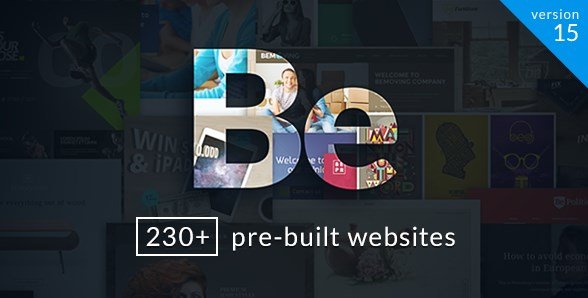
What is BeTheme?
BeTheme is a responsive multi-purpose WordPress theme designed to provide users with a versatile platform for creating various types of websites. Developed by muffingroup, it stands out with its extensive library of pre-built websites and advanced customization options. BeTheme aims to simplify the website development process, making it accessible to both beginners and experienced developers.
Key Features of BeTheme
- BeBuilder: The fastest WordPress page builder, enabling quick and efficient website creation.
- 700+ Pre-built Websites: A vast collection of themed, ready-to-use website demos that can be imported with one click.
- WooCommerce Compatibility: Seamless integration with WooCommerce for creating e-commerce stores.
- Header/Footer Builder: Customize headers and footers to match your brand and design preferences.
- Advanced Theme Options: Comprehensive settings to control every aspect of your website’s appearance and functionality.
The latest version, 28.0.6, includes updates such as new shop badge styling options and fixes for BeBuilder and accessibility issues. For more details, you can check the official changelog.
Why Choose BeTheme in 2024?
BeTheme remains a top choice for WordPress users due to its flexibility, extensive features, and ease of use. Here’s why it’s the top choice:
- Versatility: Suitable for a wide range of website types, from corporate sites to online stores.
- Time-Saving: Pre-built websites and an intuitive builder accelerate the development process.
- Customization: Highly customizable with advanced theme options and a header/footer builder.
- Performance: Optimized for speed, ensuring fast loading times and a better user experience.
- Support: Access to a dedicated support center and extensive documentation.
How to Download BeTheme
Users can purchase and download BeTheme from the ThemeForest marketplace. Envato Elements also offers unlimited creative assets.
- Go to the BeTheme page on ThemeForest.
- Click the “Add to Cart” button and complete the purchase.
- Download the theme files after payment.
Installing BeTheme: Step-by-Step Guide
1. Download the Theme:
- After purchasing, download the BeTheme zip file from ThemeForest.
2. Install via WordPress:
- Go to Appearance > Themes in your WordPress dashboard.
- Click “Add New” and then “Upload Theme”.
- Select the BeTheme zip file and click “Install Now”.
3. Activate the Theme:
- After installation, click “Activate” to apply the theme.
- Follow the on-screen instructions to install required plugins and import demo content.
Note: Remember to back up your site before installing or updating themes. BeTheme may prompt you to use its built-in tools after activation.
BeTheme Pricing
| Component | Price | Details |
|---|---|---|
| Regular License | $60 | Use in a single end product for which users are not charged. |
| Extended License | $2950 | Use in a single end product for which users can be charged. |
| Extended Support (12 months) | $18 | Extend support from 6 months to 12 months. |
BeTheme Alternatives
Avada:
- Pros: Highly flexible, large community, and extensive documentation.
- Cons: Can be resource-intensive, potentially slowing down website speed.
- Best For: Users who need a wide range of customization options and community support.
Divi:
- Pros: User-friendly interface, large selection of pre-made layouts, and visual builder.
- Cons: Can be overwhelming with options, and the visual builder may impact performance.
- Best For: Users who want a visual approach to building websites with a variety of pre-designed elements.
Astra:
- Pros: Lightweight, fast-loading, and integrates well with page builders like Elementor.
- Cons: Fewer built-in features compared to BeTheme, requiring additional plugins for advanced functionality.
- Best For: Users who prioritize speed and flexibility through page builder integration.
BeTheme vs. Other Multi-Purpose Themes
BeTheme distinguishes itself from other multi-purpose themes through its sheer number of pre-built websites and a focus on providing a complete solution for website building.
- Extensive Pre-built Websites: BeTheme offers over 700 pre-built websites, significantly more than many competitors.
- Integrated Builder: The built-in BeBuilder provides a streamlined experience without relying on third-party plugins.
- Comprehensive Theme Options: BeTheme’s advanced options panel offers a wide range of customization possibilities.
- Dedicated Support: Muffin Group provides excellent support and frequent updates to ensure compatibility and performance.
While other themes may offer similar features, BeTheme’s combination of breadth, depth, and ease of use makes it a compelling choice for WordPress users.
Tips for Using BeTheme Effectively
- Explore Pre-built Websites: Take advantage of the extensive library to find a design that closely matches your needs.
- Customize with BeBuilder: Use the intuitive drag-and-drop builder to tailor the layout and content.
- Optimize Performance: Utilize the theme’s performance settings to ensure fast loading times.
- Leverage Theme Options: Dive into the advanced theme options to fine-tune every aspect of your website.
- Utilize Support Resources: Consult the documentation and support center for guidance and troubleshooting.
Pairing BeTheme with WooCommerce
BeTheme integrates seamlessly with WooCommerce, making it an excellent choice for creating online stores. The theme provides custom shop layouts, product page designs, and e-commerce-specific features. By pairing BeTheme with WooCommerce, users can create a professional and fully functional online store with ease as choosing the right hosting is important to have a successfull online store.
Should You Invest in Premium Extensions?
The core BeTheme functionality is sufficient for many users, but premium extensions can enhance its capabilities. Consider premium extensions if you need
- Advanced Customization Features
- Enhanced Performance and Optimization
- Integration with Third-Party Services
Visit the official ThemeForest page for pricing details on BeTheme’s regular and extended licenses.
Frequently Asked Question:
What types of websites can I build with BeTheme?
BeTheme is versatile and can be used for various websites, including business, e-commerce, portfolio, and personal sites.
Is BeTheme suitable for beginners?
Yes, BeTheme is designed to be user-friendly with its intuitive builder and extensive documentation.
Does BeTheme work with WooCommerce?
Yes, BeTheme offers full WooCommerce compatibility for creating online stores.
How often is BeTheme updated?
BeTheme receives frequent updates to ensure compatibility, performance, and security.
Is BeTheme SEO-friendly?
Yes, BeTheme includes built-in SEO fields and is compatible with popular SEO plugins like Yoast SEO.
Where can I find support for BeTheme?
Support is available through the Muffin Group Support Center.
Conclusion
BeTheme is a powerful and versatile WordPress theme that offers a comprehensive solution for building virtually any type of website. With its extensive library of pre-built websites, intuitive builder, and advanced customization options, BeTheme simplifies the website development process and provides users with the tools they need to create a professional and engaging online presence. Whether you’re a beginner or an experienced developer, BeTheme offers a robust platform to bring your vision to life, don’t forget to read our article on best wordpress themes.
Disclaimer: Always refer to the official ThemeForest page for the most up-to-date pricing, features, and terms.