What is ARForms Post Creator Addon?
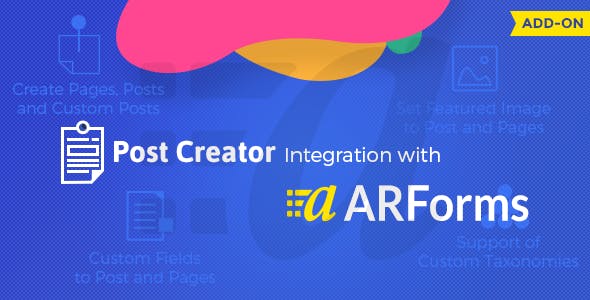
When WordPress users need to transform form submissions into published content automatically, ARForms Post Creator Addon offers a seamless solution that bridges form data collection with content management. This powerful ARForms Post Creator Addon extends the functionality of ARForms to automatically generate posts, pages, or custom post types from user submissions, making it ideal for user-generated content platforms and content-heavy websites.
What Makes ARForms Post Creator Addon Different
Unlike traditional form plugins that simply collect data, the ARForms Post Creator Addon actively transforms form submissions into structured WordPress content. Its unique integration with Mailster email marketing system allows for simultaneous content creation and subscriber management, creating a powerful synergy between content generation and audience engagement.
- Seamless integration with ARForms form builder
- Automatic post creation from form submissions
- Combined email subscription and content generation
ARForms Post Creator Addon Features for WordPress Users
Automated Content Generation
Create unlimited content types from form submissions including posts, pages, and custom post types. Map form fields directly to WordPress post elements like title, content, excerpt, featured images, and custom meta fields. The addon supports draft, publish, or pending review statuses, giving you complete control over content workflow.
Email Marketing Integration
Built-in Mailster integration allows you to simultaneously add form submitters to specific mailing lists. Each form can subscribe users to different lists, and users can even choose their subscription preferences. This dual functionality ensures your content creation efforts are always supported by email marketing campaigns.
Advanced Customization Options
Support for custom fields, taxonomies, and post formats enables complete content structure control. The addon handles multilingual sites and supports conditional logic for dynamic content creation based on form responses. Configure different content templates for various form submissions to maintain consistency while allowing flexibility.
How to Install ARForms Post Creator Addon
Quick Installation
- Ensure ARForms version 2.6+ is installed and activated
- Download the addon from CodeCanyon
- Go to Plugins → Add New → Upload Plugin
- Select the addon zip file and install
- Activate the plugin and configure settings
Who Should Use ARForms Post Creator Addon?
Content Aggregators and Directory Websites
Perfect for business directories, real estate listings, job boards, and review sites where users submit structured information that needs to be published as posts. The addon automates the entire process from submission to publication while maintaining data consistency and formatting standards.
Community and Membership Sites
Ideal for multi-author blogs, community forums, and membership platforms where users contribute content. The combination of post creation and email subscription management helps build engaged communities while automatically organizing user-generated content.
ARForms Post Creator Addon vs Alternatives
| Feature | ARForms Post Creator Addon | Gravity Forms + Post Creation |
|---|---|---|
| Email Integration | Built-in Mailster integration | Requires third-party add-ons |
| Form Builder | ARForms drag-and-drop builder | Gravity Forms interface |
| Custom Post Types | Full support with mapping | Limited without premium add-ons |
ARForms Post Creator Addon Pricing
Available as a premium addon on CodeCanyon for a one-time purchase of $19. Includes 6 months of support with the option to extend to 12 months. The plugin requires ARForms (premium) and Mailster (free or premium) to function properly.
Pros and Cons
✅ Pros
- Seamless integration with ARForms ecosystem
- Combined content creation and email marketing
- Support for unlimited forms and content types
❌ Cons
- Requires ARForms premium plugin
- Steep learning curve for complex configurations
- Limited documentation for advanced use cases
Frequently Asked Questions
Can I create custom post types with ARForms Post Creator Addon?
Yes, the addon fully supports creating custom post types and allows you to map form fields to any custom meta fields or taxonomies associated with those post types.
Does the addon work with WordPress multisite?
Yes, ARForms Post Creator Addon is compatible with WordPress multisite installations, though you’ll need to activate and configure it separately for each site where you want to use it.
Can users edit their submitted posts?
The addon creates posts from form submissions, but editing functionality depends on your WordPress user role settings. You can configure forms to allow registered users to edit their own content.
Is Mailster integration required?
While Mailster integration is a key feature, you can use the ARForms Post Creator Addon solely for content creation without configuring the email subscription features.
Does it support featured images from form uploads?
Yes, you can configure file upload fields in your ARForms to automatically set as featured images for the created posts, with automatic image optimization and size handling.
Can I schedule posts for future publication?
The addon supports scheduling posts for future publication by including date/time fields in your forms or using fixed scheduling rules in the configuration settings.
Final Verdict
ARForms Post Creator Addon is a specialized solution for websites that need to automate content creation from user submissions. It’s particularly well-suited for directory sites, community platforms, and content aggregation websites. While the requirement for ARForms premium adds to the overall cost, the integration quality and combined email marketing features make it a valuable investment for the right use cases. For more form plugins, check out our WordPress plugins collection or explore ARForms main plugin for complete form building capabilities.