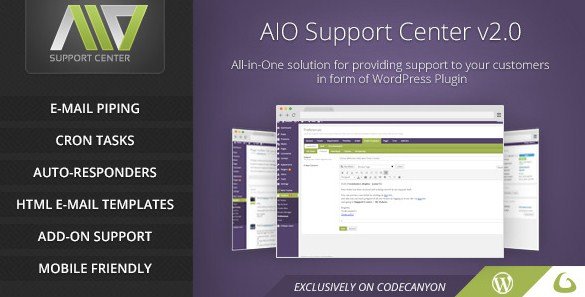
What is AIO Support Center – WordPress Ticketing System?
When WordPress users need a comprehensive support ticket solution, AIO Support Center offers an efficient way to manage customer inquiries directly within your WordPress dashboard. As a specialized AIO Support Center – WordPress Ticketing System, it allows you to transform how you handle customer support without leaving the WordPress environment.
What Makes AIO Support Center Different
AIO Support Center distinguishes itself from other support plugins by offering a complete ticketing solution that integrates seamlessly with WordPress’s native functionality. Unlike alternatives that focus only on chat or contact forms, AIO Support Center provides a robust email-to-ticket system that automatically converts customer emails into support tickets, ensuring no inquiry goes unnoticed. This plugin, distributed by CodeCanyon, offers both back-end and front-end ticket management options, giving your team flexibility in how they handle support requests.
- Automatic email-to-ticket conversion with cron tasks
- Front-end and back-end ticket management options
- Customer self-service with ticket reopening capabilities
AIO Support Center Features for WordPress Users
Efficient Ticket Management System
The core functionality of AIO Support Center revolves around its powerful ticket management system. Support teams can easily track tickets through various stages of resolution. The plugin includes an “Awaiting reply” filter that helps support staff focus on tickets requiring immediate attention, improving response times and overall customer satisfaction. Tickets can be managed either through the WordPress admin panel or via front-end interfaces using convenient shortcodes. For businesses looking for comprehensive WordPress management tools, check out our collection of management plugins.
Email Integration and Automation
One of the standout features of AIO Support Center is its seamless email integration. Through configured cron tasks, the plugin automatically checks designated email accounts and converts incoming messages into support tickets. This eliminates the need to manually create tickets for email inquiries and ensures that all customer communications are centralized within your WordPress system. The email-to-ticket functionality is particularly valuable for businesses already receiving support requests via email, as it creates a structured workflow without changing how customers reach out.
Customer Self-Service Options
Empowering customers to take control of their support experience is a priority for AIO Support Center. The plugin includes functionality that allows customers to reopen their own tickets if issues persist after a ticket has been marked as resolved. This feature reduces unnecessary back-and-forth communication while ensuring customers feel supported throughout the entire resolution process. Additionally, the system maintains a complete history of all communications within each ticket, providing transparency for both support staff and customers. For more information on improving customer experience with WordPress, check out this WordPress customer support guide.
How to Install AIO Support Center
Quick Installation
- Purchase the plugin from CodeCanyon and download the ZIP file
- Go to Plugins → Add New in WordPress dashboard
- Click Upload Plugin and select the downloaded ZIP file
- Click Install Now → Activate
- Configure your support center settings in the new AIO Support menu
Who Should Use AIO Support Center?
Small to Medium Businesses with Product Support
AIO Support Center is ideal for businesses selling WordPress themes, plugins, or physical products that require ongoing customer support. Instead of managing support requests through scattered email accounts, these businesses can centralize all customer inquiries in one organized system. The email-to-ticket feature is particularly valuable for businesses already receiving support requests via email, as it creates a structured workflow without changing how customers reach out.
Service Providers and Agencies
Web design agencies, hosting providers, and maintenance services can benefit from AIO Support Center’s ability to track multiple client projects simultaneously. Support teams can assign tickets to specific operators, categorize by client or project, and maintain detailed communication histories. This level of organization is essential for agencies managing numerous ongoing relationships and ensures accountability across the team. For agencies looking for additional WordPress tools, check out our essential plugins for agencies guide.
AIO Support Center vs Alternatives
| Feature | AIO Support Center | WSDesk WordPress Helpdesk |
|---|---|---|
| Email-to-ticket conversion | Yes, with cron tasks | Yes, with IMAP/POP3 |
| Front-end ticket submission | Yes, with shortcodes | Yes, with forms |
| Ticket reopening by customers | Yes | Yes |
| Awaiting reply filter | Yes | Yes |
| Price point | One-time purchase | Freemium with premium plans |
AIO Support Center Pricing
AIO Support Center is available through CodeCanyon with a one-time purchase model, typically priced competitively in the WordPress plugin marketplace. This gives you a lifetime license for regular updates and a period of support from the developer, with the option to extend support period for an additional fee. Unlike subscription-based helpdesk solutions, this one-time payment model can be more cost-effective for businesses looking for a long-term solution without recurring monthly fees. For more WordPress plugins with one-time pricing, explore our collection of premium plugins.
Pros and Cons
✅ Pros
- One-time payment model without recurring subscription fees
- Email-to-ticket functionality with automated cron jobs
- Flexible ticket management from both admin and front-end interfaces
- Customer self-service options including ticket reopening
- Easy configuration process for quick setup
❌ Cons
- Requires proper server configuration for cron tasks to work reliably
- Limited native integration with popular third-party services compared to premium solutions
- Documentation may be less extensive than more established helpdesk plugins
Frequently Asked Questions
How does AIO Support Center handle email ticket creation?
AIO Support Center uses cron tasks to automatically check configured email accounts at set intervals. When new emails are detected, the plugin converts them into support tickets in your WordPress system, ensuring all customer inquiries are captured and organized.
Can customers reopen their own tickets in AIO Support Center?
Yes, one of the key features of AIO Support Center is the ability for customers to reopen tickets that have been marked as resolved. This customer self-service option helps maintain support quality while reducing unnecessary administrative steps.
Does AIO Support Center require technical knowledge to set up?
The plugin is designed with easy configuration in mind, making it accessible to users with varying technical skills. However, proper configuration of the email-to-ticket feature requires understanding of cron jobs and email server settings.
Can multiple support staff manage tickets simultaneously?
Yes, AIO Support Center allows multiple operators to manage tickets through either the WordPress admin panel or front-end interfaces. Tickets can be assigned to specific staff members, helping to organize workload and ensure accountability.
Is AIO Support Center compatible with page builders like Elementor or Divi?
Yes, AIO Support Center includes shortcode functionality that allows you to embed ticket submission forms and ticket viewing areas in any page builder or theme. This makes it flexible to integrate into your existing website design.
How does the “Awaiting reply” filter work in AIO Support Center?
The “Awaiting reply” filter helps support staff prioritize their work by showing only tickets that are waiting for a response from the support team. This feature improves efficiency by ensuring that customer inquiries don’t fall through the cracks and that response times remain consistent.
Final Verdict
AIO Support Center provides a solid foundation for businesses looking to implement an efficient WordPress ticketing system without ongoing subscription costs. The email-to-ticket functionality and customer self-service options make it particularly well-suited for small to medium businesses with consistent support needs. While it may lack some of the advanced integrations found in more expensive solutions, its straightforward approach and one-time pricing model offer excellent value for businesses seeking a reliable support system within WordPress.