What is Advanced WordPress Email delivery?
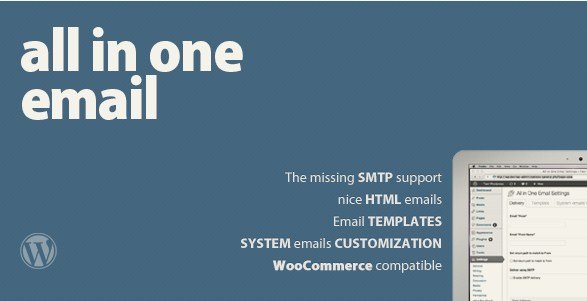
When WordPress users need to solve the pervasive problem of unreliable email delivery and ugly plain-text notifications, Advanced WordPress Email delivery offers a robust, all-in-one solution designed to professionalize site communications. As an expert in WordPress ecosystems, I have seen countless site owners lose customers simply because password reset emails or order confirmations landed in spam folders. This plugin bridges the gap between the default WordPress `mail()` function and a professional email marketing service by integrating SMTP support directly into your dashboard. It allows you to take full control of your site’s outgoing emails, ensuring they look professional and actually reach the recipient’s inbox.
What Makes Advanced WordPress Email delivery Different
While there are many SMTP plugins available, Advanced WordPress Email delivery distinguishes itself by focusing heavily on the visual aspect and specific plugin integrations that others often overlook. Most SMTP plugins simply route the email; they don’t care what it looks like. This plugin, however, combines reliable delivery with a powerful WYSIWYG template editor. It transforms the boring, system-default text emails into beautiful HTML communications that reflect your brand identity. Furthermore, its dedicated support for legacy systems like WP-Ecommerce and community platforms like BuddyPress makes it a niche but powerful tool for site owners using specific ecosystems.
- Complete replacement of default WordPress sender settings (From Name and Email).
- Integrated SMTP configuration with SSL and authentication support.
- Visual HTML template editor requiring no coding knowledge.
Advanced WordPress Email delivery Features for WordPress Users
Enhanced SMTP Deliverability
The core of this plugin lies in its ability to route emails through a proper SMTP server rather than the unreliable PHP `mail()` function. By configuring settings for an external server (like Gmail, Outlook, or your hosting provider), you significantly improve deliverability rates. The plugin supports authentication and SSL connections, ensuring your emails are secure and trusted by ISPs. It includes a built-in test email sender, which is a lifesaver for debugging configuration errors without waiting for a real user to trigger a notification. You can verify your setup instantly, catching errors before they affect your users. For more details on why SMTP is crucial, you can check resources on SMTP protocols.
Visual HTML Email Templates
One of the most frustrating aspects of default WordPress emails is that they are plain text. Advanced WordPress Email delivery solves this by allowing you to style your emails. It provides a WYSIWYG (What You See Is What You Get) editor and a live previewer. You can add your logo, change colors to match your theme, and format text to create a cohesive brand experience. This is particularly useful for WordPress plugins that require user engagement. Whether it is a new user registration welcome email or a password retrieval link, presenting it in a clean HTML format builds trust and professionalism immediately.
Deep Ecosystem Integration
p>This plugin goes beyond standard WordPress notifications. It features specific theming support for WP-Ecommerce and BuddyPress. If you are running an online store using WP-Ecommerce, you can customize the purchase receipts and order notifications to look like they came from a major retailer. Similarly, for BuddyPress communities, you can style the private messages and group notifications to keep your community engaged. It is also fully Multisite compatible, allowing network administrators to enforce email settings across all sub-sites from a central location. If you are looking for more tools to enhance your site, visit our homepage.How to Install Advanced WordPress Email delivery
Quick Installation
- Log in to your CodeCanyon account and download the plugin ZIP file.
- Go to Plugins → Add New in your WordPress dashboard.
- Click the “Upload Plugin” button at the top.
- Select the ZIP file you downloaded, click Install Now, and then Activate.
Who Should Use Advanced WordPress Email delivery?
E-Commerce Store Owners (WP-Ecommerce)
If you are managing a store using the WP-Ecommerce platform, your transactional emails are the lifeline of your customer service. Advanced WordPress Email delivery allows you to customize invoices, shipping notifications, and purchase receipts. By replacing the default text with branded HTML templates, you reduce customer anxiety and increase the perceived value of your store.
Community Site Managers (BuddyPress)
For sites built on BuddyPress, keeping members active is key. Default notification emails are often ignored. By using this plugin to style those notifications—making them visually appealing and clear—you can improve click-through rates and bring users back to your community. If you need assistance setting this up on a complex site, our support team can help guide you through the process.
Advanced WordPress Email delivery vs Alternatives
| Feature | Advanced WordPress Email delivery | Standard WP Mail SMTP |
|---|---|---|
| Email Styling | Includes a WYSIWYG HTML Template Editor | Mostly handles delivery; styling usually requires separate plugins |
| E-commerce Integration | Native support for WP-Ecommerce theming | Generic integration (mostly WooCommerce focused) |
| “From” Email Control | Full editor to replace WordPress defaults | Force From Email/Name settings available |
Advanced WordPress Email delivery Pricing
Unlike many modern plugins that operate on a subscription model (SaaS), Advanced WordPress Email delivery is available via CodeCanyon as a one-time purchase. You pay a single fee for a regular license, which includes lifetime updates and 6 months of support (with the option to extend). This makes it a cost-effective solution for long-term projects without recurring monthly costs eating into your margins.
Pros and Cons
✅ Pros
- Visual Template Editor: No HTML coding required to style emails.
- Integrations: Excellent support for WP-Ecommerce and BuddyPress.
- Deliverability: SMTP support ensures emails actually arrive in the inbox.
❌ Cons
- Niche Focus: Heavily optimized for WP-Ecommerce, which is less common than WooCommerce today.
- Interface: The design is functional but could feel slightly dated compared to modern block-based editors.
Frequently Asked Questions
Does this plugin work with WooCommerce?
While primarily designed for WP-Ecommerce, the SMTP and general HTML features work with WooCommerce. However, specific WooCommerce email template styling might require additional compatibility checks or the use of the general system email editor.
Do I need a paid SMTP service to use this plugin?
No, you can configure the plugin to use your web host’s SMTP server, Gmail, or any other mail server you have access to. However, for high-volume sites, a dedicated transactional email service is recommended for better deliverability.
Is it compatible with the latest WordPress version?
Yes, the plugin is updated to maintain compatibility with the latest versions of WordPress. Always ensure you download the latest version from your CodeCanyon dashboard.
Can I test my email settings?
Yes, the plugin includes a built-in test email sender. This allows you to send a test email to yourself immediately after configuring your SMTP settings to verify everything is working correctly.
Does this support WordPress Multisite?
Absolutely. One of the key features of Advanced WordPress Email delivery is its compatibility with WordPress Multisite installations, allowing you to manage email settings across your network.
Can I change the default WordPress sender name and email?
Yes. The plugin includes a “From” field editor that allows you to override the default WordPress defaults (which usually show as WordPress@yourdomain.com) with a professional name and email address of your choice.
Final Verdict
Advanced WordPress Email delivery is a solid, no-nonsense solution for site owners who are tired of the limitations of default WordPress emails. It is particularly well-suited for users of legacy systems like WP-Ecommerce or BuddyPress communities who want to add a layer of professionalism to their notifications without paying recurring subscription fees. The combination of SMTP reliability and the HTML template editor makes it a valuable tool for improving user communication and trust.