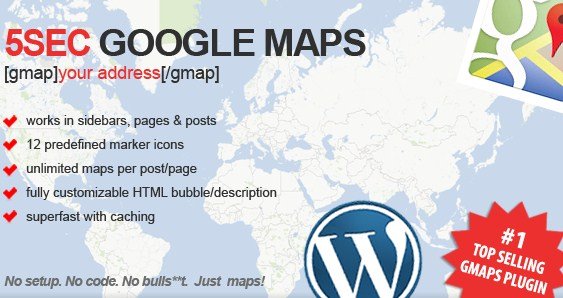
What is 5sec Google Maps WordPress Plugin?
When WordPress users need to add location maps to their websites without technical complications, the 5sec Google Maps WordPress Plugin offers a refreshingly simple solution. This top-selling plugin from CodeCanyon lives up to its name by allowing you to embed professional Google Maps on your site in literally seconds, with no setup required or complex configuration needed.
What Makes 5sec Google Maps Plugin Different
p>The 5sec Google Maps WordPress Plugin stands out in the crowded market of map plugins by prioritizing simplicity and ease of use above all else. Unlike many alternatives that require API key setup, complex configurations, or coding knowledge, this plugin works right out of the box. Its straightforward approach allows you to create functional, attractive maps using simple shortcodes that anyone can implement regardless of technical expertise.- Zero setup required – install and use immediately
- Works seamlessly in posts, pages, sidebars, and custom post types
- Lightweight implementation that won’t slow down your site
5sec Google Maps Plugin Features for WordPress Users
Simple Shortcode Implementation
The core feature of this plugin is its incredibly simple shortcode system. With just [gmap], you can insert a functional map into any content area on your WordPress site. The plugin also supports multiple maps on a single page or post, giving you flexibility in how you display locations. If you prefer a different shortcode, you can customize this to fit your preferences, making it adaptable to your specific workflow.
Customizable Markers and Descriptions
Despite its simplicity, the 5sec Google Maps Plugin doesn’t skimp on customization options. It comes with 12 predefined markers/icons that you can use to highlight specific types of locations. Even better, the HTML bubble/description for each marker is fully customizable, allowing you to add rich information about each location including links, images, and formatted text. This makes it perfect for businesses that need to provide additional context about their locations.
Direction Support and Performance Optimization
For businesses with physical locations, the plugin includes built-in direction support, allowing visitors to easily get directions to your address directly from the map. Performance-wise, the plugin uses local caching for geocoding (the process of converting addresses to latitude/longitude coordinates), ensuring maximum speed when loading maps on your site. This caching system reduces API calls and improves overall site performance, making it a smart choice for SEO-conscious site owners.
How to Install 5sec Google Maps Plugin
Quick Installation
- Purchase and download the plugin from CodeCanyon
- Go to Plugins → Add New in WordPress dashboard
- Click Upload Plugin and select the zip file you downloaded
- Click Install Now → Activate
Who Should Use 5sec Google Maps Plugin?
Local Businesses
For brick-and-mortar businesses that need to display their location on their website, this plugin provides an ideal solution. Restaurants, retail stores, service providers, and medical offices can quickly add maps to their contact pages, making it easy for customers to find them. The direction support feature is particularly valuable for these businesses, as it helps potential customers navigate to their physical location with ease.
Event Organizers
If you’re running conferences, festivals, or other events with multiple venues, this plugin’s ability to display multiple maps on a single page is invaluable. Event websites can use the customizable HTML descriptions to provide specific information about each venue location, parking details, or other relevant information that attendees need. The plugin’s simplicity means event organizers can focus on their content rather than struggling with complex map configurations.
5sec Google Maps Plugin vs Alternatives
| Feature | 5sec Google Maps Plugin | WP Google Maps |
|---|---|---|
| Setup Time | Immediate – no setup required | Requires API key configuration |
| Customization Options | Basic but functional | Extensive with premium features |
| Performance | Excellent with local caching | Good but can be resource-intensive |
| Multiple Maps Per Page | Supported out of the box | Limited in free version |
| Full Screen Support | Available | Premium feature only |
5sec Google Maps Plugin Pricing
Unlike many other WordPress plugins that offer free versions with premium upgrades, the 5sec Google Maps Plugin is exclusively available through CodeCanyon as a premium product. Priced at $15 as of the time of writing, this one-time purchase includes lifetime updates and six months of support from the developer (which can be extended). This pricing model makes it an affordable option for those who need a simple, no-fuss mapping solution without ongoing subscription costs.
Pros and Cons
✅ Pros
- Truly instant setup – no API keys or configuration needed
- Lightweight and fast with local geocoding cache
- Customizable HTML bubbles allow for rich location descriptions
❌ Cons
- Limited advanced features compared to more comprehensive mapping solutions
- No free version to test before purchase
- Less extensive documentation compared to some free alternatives
Frequently Asked Questions
Do I need a Google Maps API key to use this plugin?
No, the 5sec Google Maps WordPress Plugin works without requiring you to obtain or configure a Google Maps API key, making it one of the easiest mapping solutions to implement.
Can I use multiple maps on a single page?
Yes, the plugin supports multiple maps on a single page or post, allowing you to display different locations or map views as needed within your content.
Is this plugin compatible with page builders like Elementor?
Yes, the plugin works with page builders that support shortcodes. You can simply add the map shortcode to any text block or shortcode widget in your page builder.
Can visitors get directions to my location from the map?
Yes, the plugin includes a directions feature that allows visitors to easily get directions to your address directly from the embedded map.
Is there a limit to how many markers I can add to a map?
The plugin supports multiple markers on a single map, allowing you to pinpoint various locations with customizable icons and descriptions as needed.
Does the plugin affect my website’s performance?
The 5sec Google Maps Plugin is designed with performance in mind, using local caching for geocoding to minimize server requests and ensure fast loading times for your maps.
Final Verdict
The 5sec Google Maps WordPress Plugin delivers on its promise of simplicity, providing a genuinely hassle-free way to add functional maps to your WordPress site. While it may lack the extensive feature set of more complex mapping solutions, its straightforward approach makes it perfect for users who need to quickly implement location information without technical complications. It’s particularly well-suited for local businesses, simple directory sites, and anyone who values ease of use over advanced customization options. The affordable one-time pricing and excellent performance characteristics make it a solid investment for those seeking a no-fuss mapping solution.