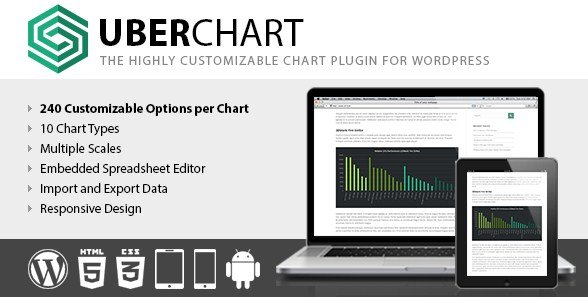
What is UberChart?
When WordPress users need to transform complex datasets into compelling visual narratives without touching a single line of code, UberChart WordPress Chart Plugin delivers an exceptional solution with 240 customization options per chart and 30 options per dataset. Whether you are displaying financial trends, scientific data, or business analytics, this premium plugin combines the power of Chart.js with an intuitive spreadsheet-style interface, making professional data visualization accessible to content creators, developers, and business owners alike.
I have tested numerous charting solutions for WordPress, and UberChart stands out by eliminating the typical trade-off between flexibility and usability. Instead of forcing you to choose between basic pre-made charts and complex coding requirements, it offers a middle ground where you can copy data directly from Excel or Google Sheets and configure every visual aspect through a comprehensive admin panel.
What Makes UberChart Different
Unlike standard WordPress chart plugins that offer limited color palettes and rigid layouts, UberChart empowers you with granular control over every pixel of your visualization. The plugin distinguishes itself through deep customization capabilities that rival manual Chart.js implementations, while maintaining the simplicity of a spreadsheet import system.
- Spreadsheet Integration: Copy-paste data directly from Excel, Google Sheets, LibreOffice, or CSV files without manual entry
- 240+ Chart Options: Unprecedented control over animations, scales, tooltips, and dataset styling
- Multi-Axis Support: Plot datasets on secondary Y2 axes when values vary widely between data series
- XML Import/Export: Backup your chart configurations and migrate them between websites seamlessly
UberChart Features for WordPress Users
For detailed comparisons with other visualization tools, check our guide on best WordPress data visualization plugins.
10 Chart Types & Extensive Customization
UberChart supports every major chart type needed for professional presentations: Line Charts, Area Charts, Bar Charts, Horizontal Bar Charts, Pie Charts, Doughnut Charts, Radar Charts, Polar Area Charts, Scatter Charts, and Bubble Charts. Each chart type comes with specific customization options—define bezier curve tension for line charts to create smooth or straight lines, customize point styles (circles, triangles, stars, or custom shapes), and configure hover effects with precise radius controls.
The general options panel allows you to set chart dimensions, margins, and background colors while controlling responsive behavior across devices. You can fine-tune animation speeds and types, ensuring your charts load with professional transitions that capture visitor attention without overwhelming the user experience.
Advanced Scale & Axis Management
One of UberChart’s strongest features is its sophisticated scale system. You can implement Linear Scales for standard numeric data, Logarithmic Scales when dealing with data points that vary by orders of magnitude, Time Scales using Moment.js formatting for customizable date/time displays, or Category Scales for labeled data segmentation.
The multi-axis functionality proves invaluable when comparing metrics with different units—plot revenue in dollars on the primary Y-axis while showing percentage growth on the secondary Y2 axis. You can also enable stacked data visualization on any axis, reposition scales to the right or top of charts, and hide specific scales when minimalism better serves your design goals.
Spreadsheet-Style Data Management
Rather than wrestling with CSV importers or manual input fields, UberChart incorporates a built-in spreadsheet editor that feels familiar to anyone who has used Excel or Google Sheets. Copy data directly from your operating system’s spreadsheet application and paste it into UberChart’s interface. The editor supports drag-to-fill, multi-cell selection, and standard keyboard shortcuts, effectively eliminating the “Import CSV” button because you can paste from any XLS, ODS, or CSV file instantly.
This feature alone saves hours when updating quarterly reports or refreshing statistical data. The XML export functionality ensures you never lose complex chart configurations—you can archive charts as backup files or use them as templates across multiple WordPress installations.
How to Install UberChart
Installation via CodeCanyon
- Purchase and download the plugin files from CodeCanyon
- Navigate to Plugins → Add New in your WordPress dashboard
- Click “Upload Plugin” and select the uberchart.zip file
- Click Install Now, then Activate
- Access UberChart → Charts from the left sidebar to begin creating visualizations
For step-by-step visual guidance on implementing charts, visit our tutorial on how to create charts in WordPress.
Who Should Use UberChart?
Financial Analysts & Business Bloggers
If you regularly publish market trends, investment portfolios, or economic forecasts, UberChart provides the precision required for financial visualization. The logarithmic scale support accommodates wide-ranging stock values, while custom tick formatting allows you to display currency symbols, percentage signs, or custom prefixes automatically. The ability to copy data directly from Bloomberg Terminal exports or Excel financial models streamlines your publishing workflow significantly.
Corporate Websites & Data Portals
Corporate communications teams benefit from UberChart’s brand consistency features. Match exact HEX codes for company colors across all chart elements, position legends precisely to accommodate corporate style guides, and utilize the import/export feature to maintain consistent chart templates across subsidiary websites. The responsive design ensures annual reports and sustainability data display perfectly on investor mobile devices.
UberChart vs Alternatives
| Feature | UberChart | Standard Chart Plugins |
|---|---|---|
| Customization Options | 240+ per chart, 30 per dataset | 10-30 basic options |
| Data Import Method | Direct spreadsheet copy-paste | CSV upload only |
| Scale Types | Linear, Logarithmic, Time, Category | Linear only |
| Multi-Axis Support | Secondary Y2 axis available | Single axis only |
| Architecture | Built on Chart.js canvas | Basic SVG or image-based |
UberChart Pricing
UberChart operates on a premium model available exclusively through CodeCanyon. The Regular License typically ranges between $20-$30 for use on a single website or project, while the Extended License accommodates commercial SaaS applications and client work requiring broader distribution rights. This one-time purchase includes lifetime updates and six months of support from the developer, with options to extend support to twelve months for an additional fee. Unlike subscription-based alternatives, UberChart requires no recurring annual payments.
Pros and Cons
✅ Pros
- Unmatched customization depth with canvas rendering options for precise visual control
- Efficient spreadsheet workflow eliminates tedious manual data entry
- Comprehensive scale options including logarithmic for scientific/financial data
- XML export system serves as reliable backup and migration tool
- Responsive design with mobile-optimized touch interactions
❌ Cons
- Premium pricing excludes budget-conscious hobby bloggers
- 240 options create a learning curve for beginners seeking simple charts
- No live database integration—requires manual data updates or copy-paste
- Limited to Chart.js capabilities (no 3D chart support)
Frequently Asked Questions
Can I import data directly from Excel into UberChart?
Yes, UberChart features a built-in spreadsheet editor that allows you to copy data directly from Microsoft Excel, Google Sheets, LibreOffice Calc, or OpenOffice and paste it instantly into the chart data table. This works with any CSV, XLS, or ODS file format supported by your spreadsheet software.
Does UberChart support real-time data updates from databases?
No, UberChart does not offer automatic database synchronization or API connections. It operates on a manual data entry or copy-paste system. For real-time visualization, you would need to manually update the chart data or use a different plugin with live database integration capabilities.
Is UberChart responsive on mobile devices?
Absolutely. UberChart includes responsive design options that allow charts to adapt to different screen sizes. You can enable or disable responsiveness per chart, and the canvas-based rendering ensures crisp display on both retina and standard displays.
What types of charts can I create with UberChart?
UberChart supports ten chart types: Line, Area, Bar, Horizontal Bar, Pie, Doughnut, Radar, Polar Area, Scatter, and Bubble charts. Each type offers specific customization options relevant to its data representation style.
Can I use multiple UberCharts on the same page?
Yes, you can display unlimited charts on a single page or post using unique shortcodes. Each chart operates independently with its own dataset and configuration settings, allowing you to create comprehensive data dashboards.
Does UberChart work with the WordPress Gutenberg block editor?
Yes, while UberChart uses shortcodes for insertion, these can be easily embedded in Gutenberg using the Shortcode block. The plugin generates unique shortcodes for each chart that work seamlessly within modern page builders and the classic editor.
Final Verdict
UberChart WordPress Chart Plugin excels as a premium solution for users who refuse to compromise between aesthetics and data accuracy. It is particularly well-suited for financial publishers, research institutions, and corporate websites that regularly update statistical content and require precise control over visual presentation. While the 240 customization options may intimidate casual users seeking simple pie charts, professionals will appreciate the granular control over canvas rendering properties and axis configurations.
The spreadsheet integration feature single-handedly justifies the purchase for anyone currently wasting hours manual transferring data between Excel and WordPress. If your workflow involves regular data visualization updates and you need reliability without subscription fees, UberChart represents a solid investment that pays for itself in time saved.