What is Styler – Icons Fonts and CSS Generator for WP?
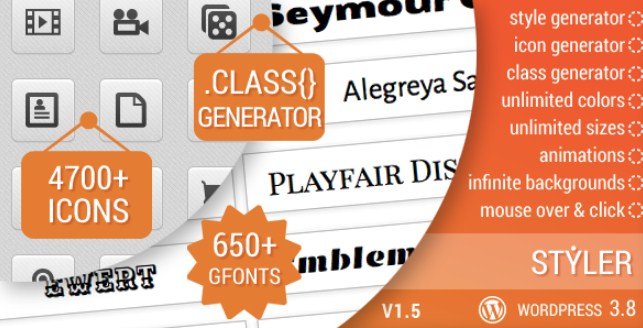
When WordPress users need complete visual customization without touching theme files, Styler – Icons Fonts and CSS Generator for WP offers an all-in-one solution that combines icon management, typography control, and CSS generation. I’ve found this premium plugin particularly valuable for client projects requiring unique branding elements, as it provides access to 4,721 icons across 15 different sets, 657 Google Fonts, and unlimited custom CSS classes through an intuitive visual interface.
Unlike traditional methods that require manual CSS file editing or multiple separate plugins, Styler integrates everything into your WordPress dashboard with 1-click shortcode generators. Whether you’re building a corporate website that needs consistent iconography or a creative portfolio requiring custom typography animations, this CodeCanyon WordPress plugin eliminates the technical barriers typically associated with advanced styling.
What Makes Styler Different from Other Design Plugins
After testing numerous WordPress typography plugins and icon managers, I appreciate how Styler functions as a comprehensive visual design system rather than a single-purpose tool. The plugin bridges the gap between page builders and manual coding, offering professional-grade customization capabilities while maintaining the simplicity that non-developers need.
- Triple Functionality: Combines icon management, font customization, and CSS generation in one lightweight package
- Visual Class Tester: Real-time preview environment that shows exactly how your CSS changes appear before going live
- Shortcode-Based Implementation: Clean insertion method that works across all themes and page builders without locking you into proprietary formats
- Retina-Ready Assets: Vector-based icons that display crisply on high-density displays and mobile devices
- Theme Independence: Ability to target and override existing theme classes without creating child themes
Styler Features for WordPress Users
Comprehensive Icon Management (4,721 Icons)
The icon system in Styler goes far beyond basic symbol insertion. With 15 distinct icon sets totaling 4,721 individual icons, you’ll find appropriate graphics for any industry or design style. I particularly value the granular control options available through the 1-click shortcode generator. You can customize icon color, background color, and size with pixel-perfect precision, but the advanced hover effects truly set this apart.
Each icon supports independent hover states including color transitions, opacity adjustments, background color changes, and spin animations. This allows for interactive social media buttons, animated service icons, and engaging call-to-action elements without JavaScript knowledge. The URL linking feature supports both internal pages and external destinations with target attribute control, making it simple to manage navigation behavior directly from the icon settings panel.
Advanced Typography with 657 Google Fonts
Typography management in Styler provides access to the entire Google Fonts library, giving you 657 font families to differentiate your brand identity. The typography controls extend beyond basic font selection, offering detailed styling options including font weight variations, style attributes (normal vs italic), and precise line height adjustments for optimal readability.
What impressed me most was the text direction support, which is essential for RTL (Right-to-Left) language websites targeting Arabic, Hebrew, or Persian audiences. The text animation features add dynamic movement to headlines and callouts, helping important content capture visitor attention immediately. Combined with text alignment controls and color customization, you can create sophisticated typographic hierarchies that guide users through your content naturally.
Professional CSS Generator
The CSS generator functionality rivals professional code editor software, providing a visual interface for creating unlimited custom classes. With support for 100+ CSS attributes and 30+ HTML tags, you can style virtually any element on your WordPress site. The system allows targeting of existing theme classes and tags, meaning you can override default styling without modifying theme files—a crucial feature for maintaining customizations through theme updates.
The integrated color picker ensures brand consistency across all elements, while the visual class tester provides immediate feedback on your styling changes. You can choose between full HTML insertion for complex structures or direct class insertion for simple styling tasks. This flexibility makes Styler suitable for both CSS customization projects ranging from simple button styling to comprehensive layout modifications.
How to Install Styler – Icons Fonts and CSS Generator for WP
CodeCanyon Installation Process
- Purchase and download the plugin files from CodeCanyon
- Navigate to Plugins → Add New in your WordPress dashboard
- Click “Upload Plugin” and select the downloaded ZIP file
- Click Install Now and wait for the installation to complete
- Activate the plugin through the ‘Plugins’ menu
- Enter your purchase code to receive automatic updates and support
Once activated, you’ll find the Styler menu in your WordPress admin sidebar, organized into three main sections: Add Icon, Add Style, and Add Class. The plugin initializes global settings that work with your existing WordPress shortcode system, ensuring compatibility with the block editor, classic editor, and popular page builders.
Who Should Use Styler?
Freelance Web Designers
If you’re managing multiple client websites with varying design requirements, Styler streamlines your workflow significantly. Instead of creating custom CSS files for each project, you can generate all styling through the visual interface, reducing development time by hours per project. The plugin’s ability to export and import settings also makes it easy to replicate successful design patterns across different client sites.
DIY Website Owners
Small business owners and bloggers who want professional-looking designs without hiring developers will find Styler’s 1-click shortcode generators invaluable. You can add eye-catching icons to service pages, customize fonts to match your brand guidelines, and create unique button styles without writing a single line of code. The visual feedback system ensures you see exactly how changes look before publishing them to your live site.
WordPress Developers
Developers building custom themes or working on client sites that require extensive styling overrides benefit from Styler’s class targeting system. Rather than enqueueing multiple font libraries or icon sets manually, you can leverage the plugin’s built-in resources while maintaining clean, organized code structures. The ability to target existing theme classes also reduces the need for child theme creation on minor customization projects.
Styler vs Alternatives
| Feature | Styler | Manual CSS Editing | Elementor Icon Widget |
|---|---|---|---|
| Icon Library Size | 4,721 icons (15 sets) | Depends on manual import | Limited to Font Awesome + custom |
| Google Fonts Integration | 657 fonts included | Manual enqueue required | Built-in but limited selection |
| CSS Generation | Visual generator with 100+ attributes | Requires coding knowledge | Basic styling options only |
| Shortcode Output | Clean, portable shortcodes | N/A | Proprietary widget code |
| Theme Lock-in | Works with any theme | Theme dependent | Requires Elementor |
Styler Pricing
Styler – Icons Fonts and CSS Generator for WP follows the standard CodeCanyon pricing model as a premium-only solution. You pay a one-time fee (typically $20-$40 depending on current pricing and license tier) for lifetime access to the plugin, six months of included support from the developers, and lifetime updates. Extended support options are available at checkout for an additional fee if you require priority assistance beyond the initial six-month period.
Unlike subscription-based design tools, this pricing structure makes Styler particularly cost-effective for agencies managing multiple sites, as the unlimited site usage license allows installation across all your client projects without recurring monthly fees.
Pros and Cons
✅ Pros
- Massive Resource Library: 4,721 icons and 657 fonts eliminate the need for additional asset purchases
- Zero Coding Required: Visual interface makes advanced CSS accessible to non-developers
- Universal Compatibility: Works seamlessly with any WordPress theme or page builder
- Performance Optimized: Retina-ready vector graphics load quickly without bloating your site
- Browser Compatibility: Tested across all major browsers to ensure consistent rendering
❌ Cons
- Premium Only: No free version available for testing before purchase
- Shortcode Dependency: Heavy reliance on shortcodes may require migration strategies if switching plugins later
- Learning Curve: Advanced CSS features require understanding of selectors and attributes
- CodeCanyon Platform: Updates and license management handled through third-party marketplace rather than WordPress repository
Frequently Asked Questions
Is Styler compatible with page builders like Elementor and Beaver Builder?
Yes, Styler generates standard WordPress shortcodes that work in any text editor, including page builders. You can insert Styler shortcodes into Elementor’s Shortcode widget, Beaver Builder’s HTML module, or the WordPress Block Editor’s Shortcode block seamlessly.
Can I use Styler with RTL (Right-to-Left) languages?
Absolutely. Styler includes specific text direction controls that support RTL languages including Arabic, Hebrew, and Persian. The typography settings allow you to set text direction at the element level, ensuring proper display for multilingual websites.
Will Styler slow down my WordPress website?
Styler is designed with performance in mind. It uses efficient vector-based icons that scale without losing quality, and it only loads the specific fonts and CSS you actually use on each page. The lightweight code output minimizes impact on page load times compared to loading multiple separate icon and font libraries.
How many custom CSS classes can I create with Styler?
Styler supports unlimited custom class creation. You can generate as many unique classes as your project requires, and you can also target and modify existing classes from your theme or other plugins using the visual CSS editor.
Does Styler work with WordPress Multisite?
Yes, Styler is compatible with WordPress Multisite installations. Depending on your license type, you can network-activate the plugin across all subsites or activate it individually on specific sites within your network. The custom classes and styles can be configured per-site or globally depending on your network settings.
What happens to my styling if I deactivate Styler?
If you deactivate Styler, the shortcodes will stop rendering the styled elements, and you may see raw shortcode text on your pages. However, the CSS classes you created remain in your database, so reactivating the plugin restores all styling immediately. For permanent content, consider converting critical shortcodes to static HTML before deactivating.
Final Verdict
Styler – Icons Fonts and CSS Generator for WP delivers exceptional value for WordPress users seeking comprehensive design control without coding expertise. The combination of 4,721 icons, 657 Google Fonts, and a professional-grade CSS generator makes it a versatile tool that eliminates the need for multiple separate plugins. While the shortcode-based approach requires commitment to the ecosystem, the clean output and universal theme compatibility make it a reliable long-term solution.
I recommend Styler particularly for freelance designers and small agencies who need to deliver customized, visually distinctive websites quickly. The visual class tester and 1-click shortcode generators significantly reduce development time, while the browser compatibility and retina-ready assets ensure professional results across all devices. If you’re looking for a premium design tool that bridges the gap between basic WordPress styling and custom development, Styler deserves serious consideration.