What is Display Product – Multi-Layout For WooCommerce?
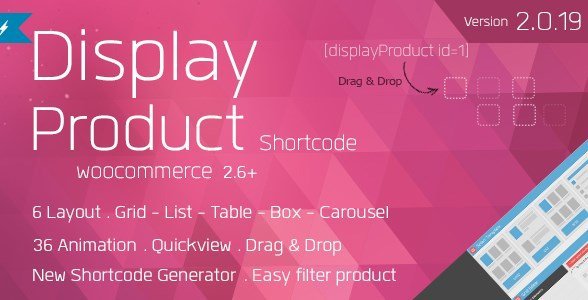
When your theme’s default shop pages feel plain and conversion-killing, Display Product – Multi-Layout For WooCommerce gives you pixel-perfect control over every product tile, carousel, grid or masonry block you drop into WordPress. With one shortcode you can filter by featured, sale or stock status, animate on scroll, and style for any device—no extra page-builder required.
What Makes Display Product – Multi-Layout For WooCommerce Different
Unlike bulky shop-customizer suites, this plugin keeps things lightweight: 36 entrance animations, 12 sort orders, responsive breakpoints and zero jQuery conflicts. Everything is rendered through a single flexible shortcode that accepts 30+ attributes, so you can reuse the same product block across landing pages, sidebars and Gutenberg columns without touching PHP templates.
- One shortcode powers grids, masonry, carousel or list view
- Browser-safe CSS3 animations that still work on IE9 (static fallback)
- Query builder UI inside WP admin—no manual shortcode memorising
Display Product – Multi-Layout For WooCommerce Features for WordPress Users
Ready-Made Layouts & Pagination
Choose between equal-height grid, Pinterest-style masonry, touch-friendly carousel or compact list. Each layout supports Ajax pagination, “load more” or infinite scroll so you never sacrifice page speed on large catalogues.
Product Filtering Without Code
Pull featured, sale, in-stock or out-of-stock items with attribute flags filter="featured", filter="onsale". Combine multiple rules like cat="shirts" onsale="yes" stock="instock" to build dynamic Flash-Sale sections in seconds.
Sorting & Animations That Sell
Sort by popularity, price, SKU, stock or even random for fresh discovery. Pick from 36 hover/entrance animations—bounceIn, elasticIn, flipInH—to draw attention to high-margin products without slowing Largest Contentful Paint.
How to Install Display Product – Multi-Layout For WooCommerce
Quick Installation
- Download the ZIP from CodeCanyon and go to Plugins → Add New → Upload.
- Activate the plugin; a new “Display Product” menu appears.
- Open the Query Builder, set your filters, copy the generated shortcode and paste into any page, widget or Gutenberg shortcode block.
Who Should Use Display Product – Multi-Layout For WooCommerce?
Fashion & Lifestyle Stores
Use masonry layouts to mimic Instagram feeds and trigger elastic-in animations on scroll for look-book galleries that convert browsers into buyers.
Developers Building Client Sites
Hand off sites with confidence—clients can tweak product blocks via the visual Query Builder instead of begging for code changes, saving you maintenance hours.
Display Product – Multi-Layout For WooCommerce vs Alternatives
| Feature | Display Product – Multi-Layout | WooCommerce Blocks (Core) |
|---|---|---|
| Entrance Animations | 36 built-in, device-optimised | None |
| Carousel Mode | Yes, touch/swipe | No (needs extra plugin) |
| Stock Filter UI | One-click | Manual attribute pick |
Display Product – Multi-Layout For WooCommerce Pricing
A regular license is $19 on CodeCanyon and covers one live site plus lifetime updates—no recurring fee. Extended license ($95) allows use in a single commercial theme you sell.
Pros and Cons
✅ Pros
- One shortcode, unlimited layouts—grid, masonry, carousel, list
- 36 lightweight CSS3 animations with IE8/9 fallback
- Built-in query builder removes need for custom WP_Query
❌ Cons
- No Gutenberg block yet—still shortcode based
- Carousel arrows inherit theme colours; may need CSS tweaks
- No built-in wishlist or quick-view (focus is display only)
Frequently Asked Questions
Does it work with Elementor or Divi?
Yes. Paste the shortcode into an Elementor Shortcode widget or Divi Code module; all styles and scripts load automatically.
No. The plugin only loads 9 KB minified CSS and 4 KB JS when a shortcode is present. Images are fetched via WooCommerce’s native thumbnail system, so you still benefit from lazy-loading and WebP plugins.
Can I show products from a specific category only?
Absolutely. Use [display_product cat="hoodies"] or select the category inside the Query Builder.
Is it compatible with HPOS and WooCommerce 8.x?
The author pushed compatibility updates for High-Performance Order Storage in version 3.4; automatic updates are included.
How do I disable animations on mobile?
Add the attribute animation="none" mobile_animation="none" to your shortcode or toggle the responsive setting in the Query Builder.
Can I translate the “Sale” badge or “Out of Stock” text?
Yes. All frontend strings run through WooCommerce’s gettext domain, so any translation plugin will pick them up.
Final Verdict
Display Product – Multi-Layout For WooCommerce is the fastest way to spin up eye-catching product sections when core WooCommerce blocks feel too rigid. At $19 one-time it pays for itself the first time you don’t have to write a custom WP_Query. Power users may still pair it with a wishlist or quick-view plugin, but for pure display flexibility it’s hard to beat.
Ready to beautify your store? Grab your license here and follow our step-by-step WooCommerce tutorial to go live in minutes.


%20.jpg "Bookly Locations (Add-On)")