
What is Admin Columns Pro ACF Addon?
When WordPress users need to manage extensive custom field data efficiently, Admin Columns Pro ACF Addon offers a powerful solution that transforms how you interact with Advanced Custom Fields. This premium addon seamlessly integrates with ACF to display your custom fields as sortable, filterable, and editable columns directly in WordPress admin list tables. The Admin Columns Pro ACF Addon eliminates the need to open individual posts just to view or modify custom field values, saving countless hours for developers and content managers working with complex WordPress sites.
What Makes Admin Columns Pro ACF Addon Different
Unlike standard WordPress admin displays that hide custom field data behind individual post edits, this addon brings all your ACF data to the forefront. It’s not just about displaying fields—it’s about creating a complete data management interface within WordPress. The addon leverages native ACF functions to ensure data integrity while providing Excel-like functionality directly in your browser.
- Complete ACF field type support including repeater and clone fields
- Native WordPress integration with no coding required
- Real-time inline and bulk editing capabilities
Admin Columns Pro ACF Addon Features for WordPress Users
Smart Column Management
The core functionality revolves around transforming your ACF fields into manageable columns. Simply select any ACF field from the dropdown, and it instantly appears as a column with appropriate display settings. Image fields support predefined or custom sizes, date fields offer flexible formatting options, and text fields include character limits. This intelligent adaptation ensures each field type displays optimally without manual configuration.
Advanced Sorting and Filtering
Admin Columns Pro ACF Addon makes nearly all ACF fields sortable with optimized SQL queries that handle large datasets efficiently. The smart filtering system allows you to create complex filter combinations to quickly find specific content. You can save filter presets for future use and share them across user roles, creating customized views for different team members working with the same data.
Inline and Bulk Editing
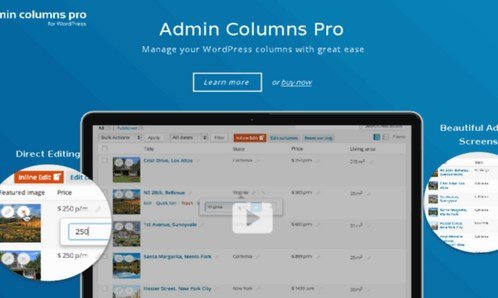
Perhaps the most powerful feature is the ability to edit ACF fields directly from list tables. Inline editing works like a spreadsheet—click any cell and modify the value instantly. For larger updates, bulk editing lets you select multiple items and apply changes simultaneously. The addon uses ACF’s native saving functions, ensuring data consistency and compatibility with all ACF field types including complex repeater fields.
How to Install Admin Columns Pro ACF Addon
Quick Installation
- Purchase and download Admin Columns Pro with ACF Addon from official website
- Go to Plugins → Add New → Upload Plugin in WordPress dashboard
- Upload the zip file and click Install Now → Activate
- Install and activate Advanced Custom Fields (if not already installed)
- Navigate to Admin Columns settings to configure your ACF fields
Who Should Use Admin Columns Pro ACF Addon?
WordPress Developers
Developers building complex WordPress sites with extensive custom fields will find this addon indispensable. It dramatically reduces development time by eliminating the need to create custom admin interfaces. When building client sites with custom post types like real estate listings, event directories, or product catalogs, the addon provides immediate professional admin interfaces without coding.
Content Managers and Editors
For teams managing large amounts of content with custom fields, this addon transforms workflow efficiency. Editors can quickly update product prices, event dates, or author information without navigating away from list views. The bulk editing feature is particularly valuable for seasonal updates or mass content modifications, reducing what could take hours to minutes.
Admin Columns Pro ACF Addon vs Alternatives
| Feature | Admin Columns Pro ACF Addon | Native WordPress/ACF |
|---|---|---|
| Field Display | Columns in list tables with smart formatting | Hidden in post edit screens only |
| Inline Editing | Direct editing in list tables | Requires opening each post |
| Sorting | All ACF field types sortable | Limited to native fields |
Admin Columns Pro ACF Addon Pricing
The addon is available as part of Admin Columns Pro subscriptions. Single site license costs €79/year for 1 site, Business license at €149/year covers 5 sites, and Agency license at €279/year provides unlimited site usage. All plans include 1 year of premium support and updates, with a 30-day money-back guarantee. The addon requires the base Admin Columns Pro plugin to function.
Pros and Cons
✅ Pros
- Complete ACF field type support including repeaters and clones
- Significant time savings for content management workflows
- No coding required – works out of the box
❌ Cons
h3>- Requires Admin Columns Pro base plugin (additional cost)
- Learning curve for advanced features like conditional formatting
- Annual subscription model may not suit all budgets
Frequently Asked Questions
Does Admin Columns Pro ACF Addon work with ACF Free?
Yes, the addon works with both the free and pro versions of Advanced Custom Fields. However, some advanced field types from ACF Pro will have enhanced functionality when using the premium version.
Can I edit ACF repeater fields inline?
While you can display repeater field data in columns, inline editing works best with individual sub-fields selected from the repeater. Bulk editing supports repeater fields when selecting specific sub-fields to modify.
Is the addon compatible with custom post types?
Absolutely! Admin Columns Pro ACF Addon works with all WordPress post types including custom post types, pages, users, media, and taxonomies. You can create different column setups for each post type.
Does it work with other field plugins?
While optimized for ACF, the addon also supports standard WordPress custom fields and has integrations with other popular field plugins like MetaBox and JetEngine through additional addons.
Can I export ACF field data?
Yes, the export feature allows you to export all visible columns including ACF fields to CSV format. You can customize which columns to export and use filters to export specific data subsets.
Is there a money-back guarantee?
Yes, Admin Columns Pro offers a 30-day money-back guarantee on all purchases. If you’re not satisfied with the addon’s performance, you can request a full refund within 30 days.
Final Verdict
Admin Columns Pro ACF Addon is an essential tool for anyone serious about WordPress development with Advanced Custom Fields. It transforms the WordPress admin experience from tedious to efficient, particularly for sites with extensive custom field implementations. While the annual subscription cost might seem steep initially, the time savings and workflow improvements justify the investment for professional use. It’s particularly well-suited for agencies, developers building client sites, and content teams managing data-heavy WordPress installations.

.png "LatePoint Messages Addon (Chat)")