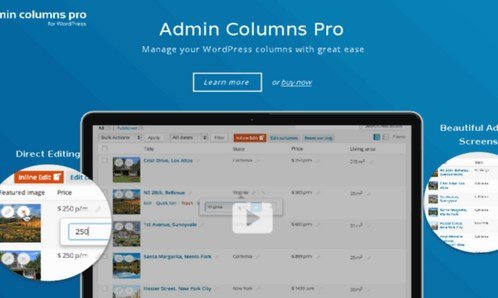
What is Admin Columns Pro?
When WordPress users need to efficiently manage hundreds or thousands of posts, products, or custom content types, Admin Columns Pro offers a revolutionary approach to admin table customization. This powerful plugin transforms the default WordPress list tables into dynamic, customizable interfaces that display exactly the information you need, where you need it. With Admin Columns Pro, you can add, remove, reorder, and customize columns for any content type in WordPress, making content management significantly more efficient.
What Makes Admin Columns Pro Different
Admin Columns Pro stands out as the most comprehensive WordPress admin table customization solution available. Unlike basic column plugins, it combines powerful customization options with advanced editing capabilities, filtering systems, and seamless integrations with popular WordPress plugins and themes. The plugin’s intuitive interface allows both developers and non-technical users to create perfectly tailored admin views without writing a single line of code.
- Complete control over WordPress admin table columns
- Advanced inline and bulk editing capabilities
- Smart filtering with multiple operators
- Seamless integration with WooCommerce, ACF, and other major plugins
Admin Columns Pro Features for WordPress Users
Advanced Column Management
Create, customize, and organize columns for any WordPress content type including posts, pages, custom post types, users, comments, and taxonomies. With over 150 pre-built column types and unlimited custom field support, you can display exactly the data you need. The drag-and-drop interface makes it easy to reorder columns, adjust widths, and create the perfect layout for your workflow. You can also create multiple column sets for different user roles or tasks, ensuring each team member sees only what’s relevant to them.
Inline and Bulk Editing
>Edit content directly from your list tables without ever opening individual edit screens. The inline editing feature allows you to click and edit any field value instantly, while bulk editing enables you to update multiple items simultaneously. This is particularly useful for updating product prices, changing post statuses, or modifying custom fields across hundreds of items. You can even bulk delete items across paginated results, making content cleanup faster than ever.Smart Filtering and Sorting
>Find exactly what you’re looking for with advanced filtering capabilities. Admin Columns Pro allows you to filter content using multiple operators (equals, not equals, contains, greater than, etc.) and combine filters for precise results. Sort any column, including custom fields, with a single click. You can save frequently used filters for quick access and even share them with team members. The smart filtering system works seamlessly with WooCommerce products, custom post types, and user data.How to Install Admin Columns Pro
Quick Installation
- Go to Plugins u2192 Add New in WordPress dashboard
- Search for “Admin Columns” and install the free version first
- Purchase Admin Columns Pro from official website
- Upload the Pro version via Plugins u2192 Add New u2192 Upload Plugin
- Activate and enter your license key
Who Should Use Admin Columns Pro?
E-commerce Store Owners
>WooCommerce store managers can create custom product views showing SKU, stock levels, prices, and sales data. Update product information in bulk, filter by categories or attributes, and export product lists for inventory management. The integration with WooCommerce is seamless, allowing you to manage hundreds or thousands of products efficiently from a single interface.Content Managers and Publishers
>Editorial teams can track article statuses, author assignments, publication dates, and SEO scores at a glance. Create custom views for editors, authors, and reviewers, each showing only relevant columns. Bulk edit publication dates, categories, or custom fields across multiple posts, significantly speeding up content production workflows.Admin Columns Pro vs Alternatives
| Feature | Admin Columns Pro | Default WordPress |
|---|---|---|
| Custom Columns | 150+ column types with unlimited custom fields | Limited to default WordPress fields |
| Inline Editing | Full inline editing for all fields | Not available |
| Smart Filtering | Advanced filters with multiple operators | Basic search only |
Admin Columns Pro Pricing
>Admin Columns Pro offers three pricing tiers starting at u20ac79 per year for a personal license (single site). The business license at u20ac149 covers up to 5 sites with priority support, while the agency license at u20ac249 provides unlimited site usage with premium support. All plans include one year of updates and support, with lifetime updates available as an add-on. A 30-day money-back guarantee ensures you can try the plugin risk-free.Pros and Cons
u2705 Pros
- Extensive customization options for all WordPress content types
- Powerful inline and bulk editing capabilities save hours of work
- Excellent integrations with WooCommerce, ACF, and other major plugins
- Intuitive interface suitable for both technical and non-technical users
u274c Cons
- Premium pricing may be steep for small personal blogs
- Learning curve for advanced filtering and custom column creation
- Some features require additional plugin integrations
Frequently Asked Questions
Is Admin Columns Pro worth the money?
Yes, for anyone managing more than 50-100 content items, the time saved through bulk editing and custom views quickly justifies the investment. E-commerce stores and content-heavy sites see the biggest ROI.
Does Admin Columns Pro work with page builders?
Yes, Admin Columns Pro is compatible with all major page builders including Elementor, Divi, and Beaver Builder as it only affects the admin interface, not front-end display.
Can I export my custom column settings?
Yes, Admin Columns Pro allows you to export and import column settings between sites, making it perfect for developers managing multiple client sites or migrating environments.
Will Admin Columns Pro slow down my site?
No, the plugin is optimized for performance and only loads in the admin area. With over 250,000 active installations, it’s proven to be lightweight and efficient.
Is there a free version available?
Yes, there’s a free version available on WordPress.org with basic column customization features. The Pro version adds advanced editing, filtering, and integration capabilities.
Does Admin Columns Pro support multisite installations?
Yes, the Agency license covers unlimited sites including multisite networks. You can customize columns differently for each site in your network.
Final Verdict
Admin Columns Pro is an essential tool for serious WordPress content management. Its powerful customization options, combined with time-saving editing features and excellent plugin integrations, make it invaluable for anyone managing substantial amounts of WordPress content. While the investment might be significant for small sites, medium to large WordPress installations will quickly recoup the cost through improved efficiency. Whether you’re running an e-commerce store, managing a multi-author blog, or developing custom solutions for clients, Admin Columns Pro provides the flexibility and functionality needed to streamline your WordPress admin experience.